Using the Mac Reformatting Tool 1
FreeAgent Pro for the Macintosh
Getting Started
The FreeAgent™ Pro software offers these features:
• Backup & Restore to protect your data
• An Internet Drive for remote access and file sharing
• Utilities to control your drive lights and drive diagnosis
The FreeAgent Pro software is loaded on your drive. Because the software is configured
for a Windows operating system, your drive and the software must be prepared for
installation on your Macintosh.
Using the Mac Reformatting Tool
The Mac Reformatting tool automatically prepares the Drive Manager software for
installation on your Macintosh,
To use the Mac Reformatting Tool,
Step 1. Connect your drive to your computer.
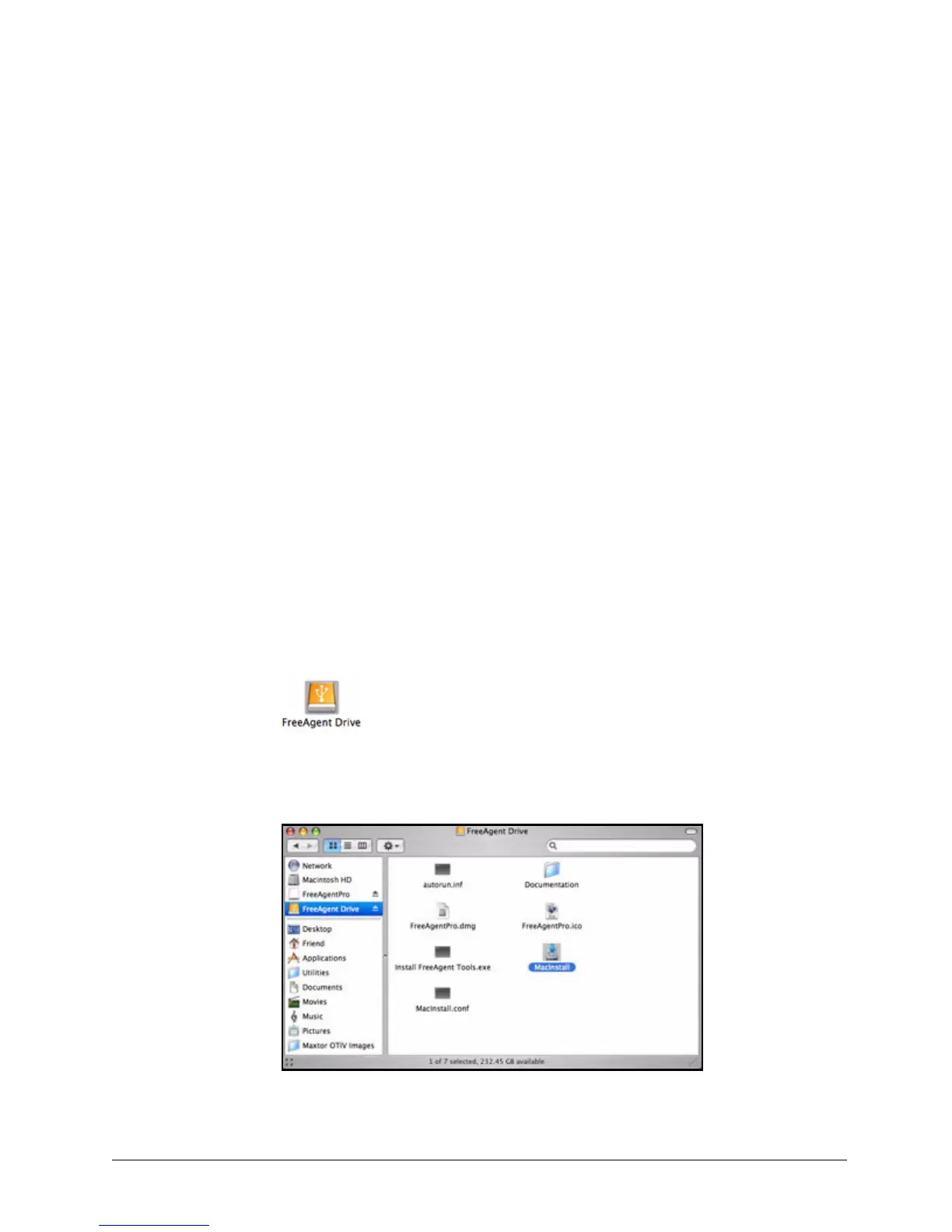
A FreeAgent Drive icon appears on your desktop:
Step 2: Double-click the FreeAgent Drive icon.
The FreeAgent Drive Finder window opens:
Figure 1: FreeAgent Drive Finder










 To Next Page