Installing the FreeAgent Software 5
FreeAgent Pro for the Macintosh
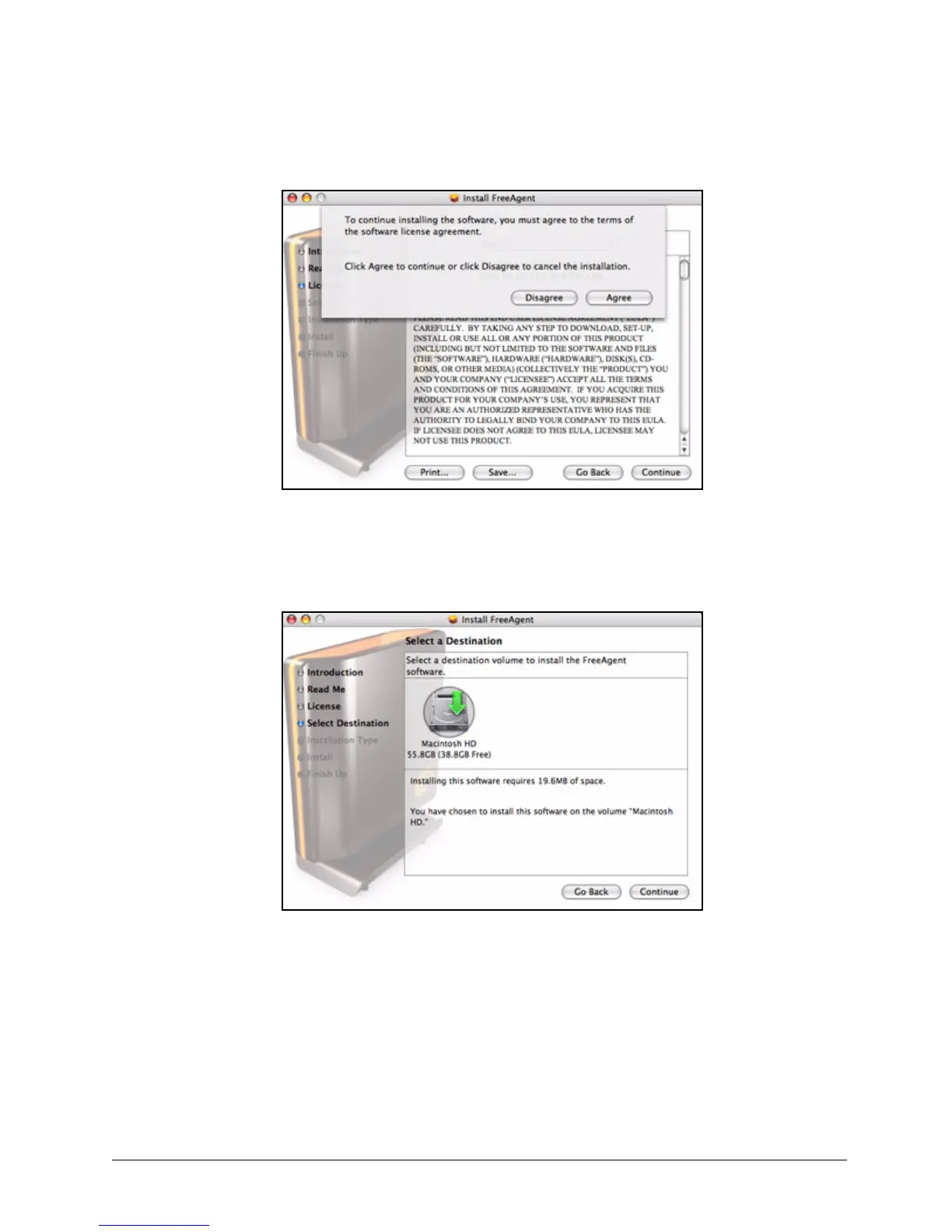
Step 4: Click Agree in the sheet.
The Select a Destination window opens:
Step 5: Select your Macintosh hard drive and click Continue.
Note: The software can be installed only on the boot volume.
The Easy Install window opens:
Figure 7: License Agreement Confirmation
Figure 8: Destination










 To Next Page