105Unlocking and locking
Note
● The remote control is automatically disabled when the ignition is switch-
ed on.
● The function of the remote control may be impaired by interference from
other nearby radio signals (e.g. from a mobile phone or TV transmitter) if
these are in the same frequency range.
Locking and unlocking the vehicle
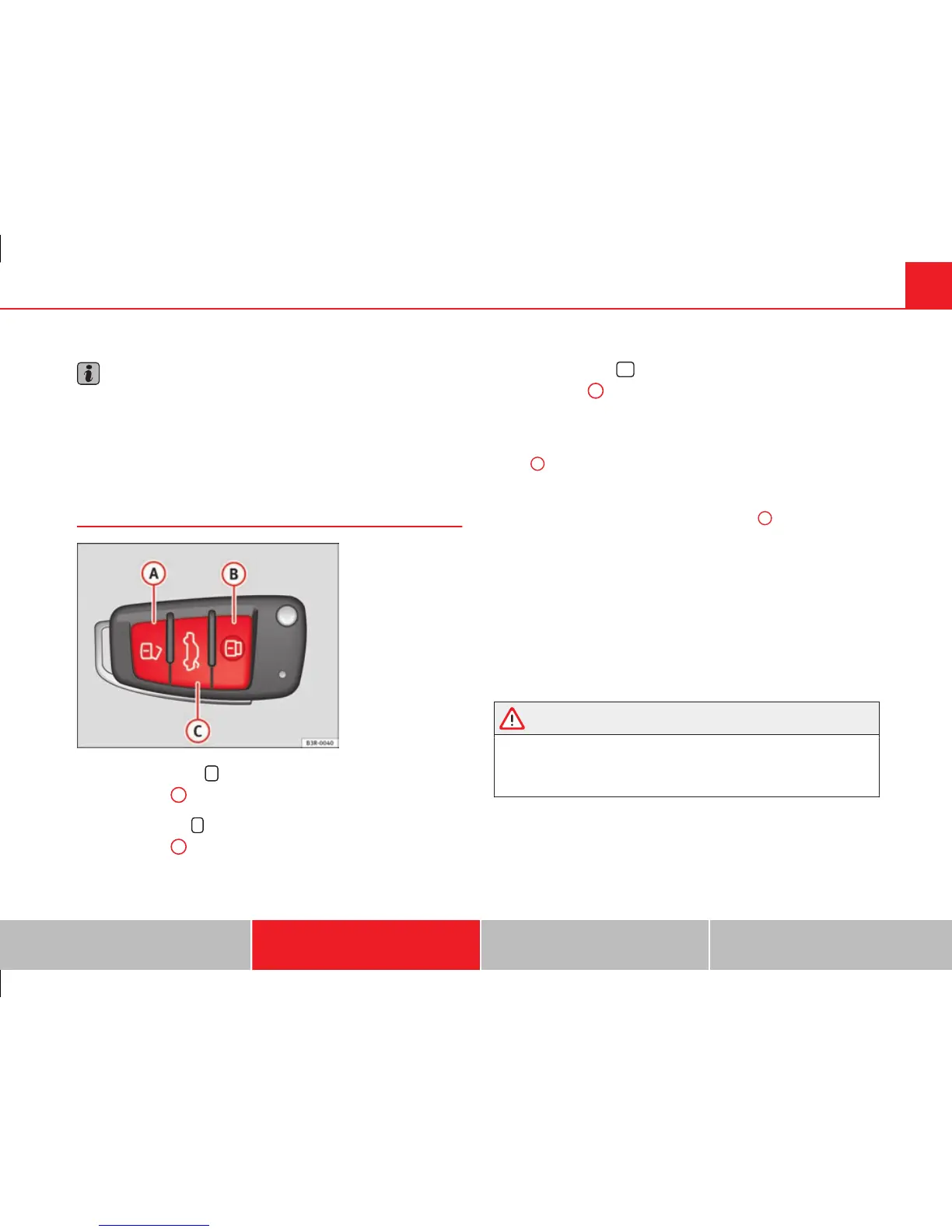
Fig. 77 Remote control
key: Control buttons
Unlocking the vehicle
– Press button
A
⇒ fig. 77 for about 1 second.
Locking the vehicle
– Press button
B
for about 1 second.
Opening the tailgate
– Press button
C
and hold for at least one second.
The turn signals will flash twice as confirmation when you unlock the vehi-
cle. The vehicle will be locked again automatically if you do not open one of
the doors or the tailgate within 60 seconds after unlocking the vehicle with
button
A
. This function prevents the vehicle from remaining unlocked if the
unlocking button is pressed by mistake.
In vehicles with the security central locking* feature, you can unlock just
the driver door and the tank flap by pressing button
A
once or the whole
vehicle by pressing the button twice.
The turn signals flash once when the vehicle is locked to confirm that the
doors and tailgate are properly locked.
Moreover, apart from unlocking the vehicle, the seat* and mirror* memory
programmed in the key is activated. The driver seat and exterior mirrors will
be automatically adjusted to the positions stored in the memory.
The interior lights will automatically light up when the vehicle is unlocked
and go out when the vehicle is locked, provided that the switch is in the
courtesy light position.
WARNING
Do not leave anyone (especially children) in the vehicle if it is locked from
the outside and the anti-theft security system is enabled, as the doors
and windows cannot then be opened from the inside. Locked doors could
delay assistance in an emergency, potentially putting lives at risk.
Safety First Operating Instructions Practical Tips Technical Specifications



 To Next Page