91Steering wheel controls
Steering wheel controls
Multifunction steering wheel*
Introduction
You can use the multifunction steering wheel to quickly and
easily operate selected functions of the radio, CD, and tele-
phone*.
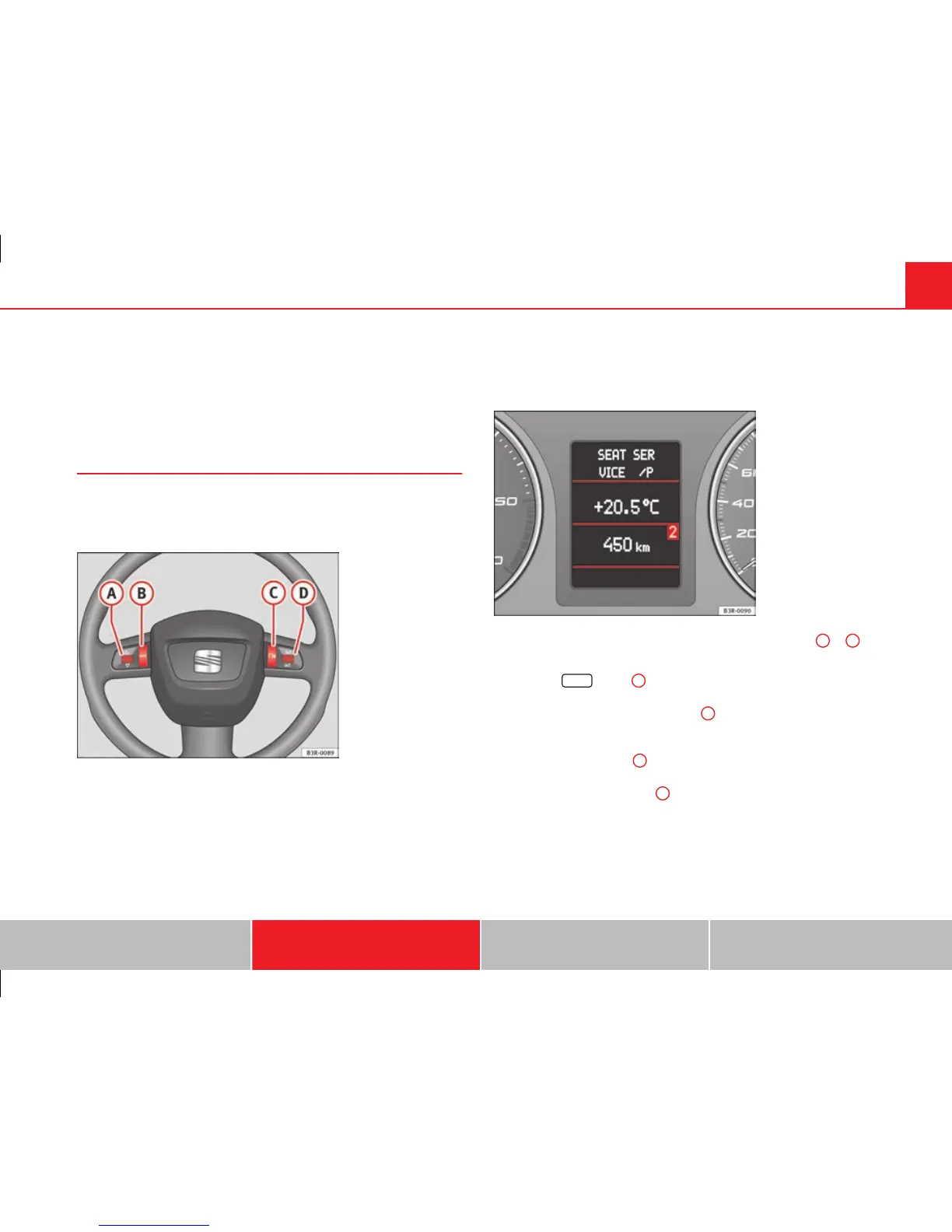
Fig. 64 Controls on the
multifunction steering
wheel
Fig. 65 Driver informa-
tion system
The functions are operated by pressing or scrolling the controls
A
to
D
on
the multifunction steering wheel ⇒ fig. 64:
● Press the
MODE
button
B
repeatedly to switch between modes, which
are then displayed in the driver information system ⇒ fig. 65.
● Scroll and press the left thumbwheel
A
to select a function from one of
the menus.
● The speech control system* for the on-board phone system is enabled
by pressing the talk button
C
. Pressing the talk button again disables
speed control*.
● Scroll the right thumbwheel
D
up/down to increase/decrease the vol-
ume.
Safety First Operating Instructions Practical Tips Technical Specifications



 To Next Page