108 Unlocking and locking
You should disable the interior monitoring if there is a possibility
that the alarm could be triggered, e.g. by a pet or by an object
moving inside the vehicle ⇒
. The tow-away protection feature,
which is integrated into the alarm system, should be disabled if
the vehicle is being towed or transported (e.g. by rail or ship).
Deactivating the interior monitoring
– Open the door and pull out the switch
A
(with the symbol )
to one side of the storage compartment, in the driver door
⇒ fig. 78.
– Then lock the vehicle.
Deactivating the tow-away protection
– Open the door and pull out switch
B
(with the symbol ) to
one side of the storage compartment, in the driver door
⇒ fig. 78.
– Then lock the vehicle.
The LED on switch
will light up when the interior monitoring is disabled.
The LED on the top of the driver door trim will also light up for about 3 sec-
onds. When the vehicle is locked, the LED on the top of the driver door trim
will flash rapidly for about 3 seconds. About 30 seconds later it starts flash-
ing slowly. The interior monitoring is automatically enabled again the next
time the vehicle is locked.
The LED on switch
will light up when the tow-away protection function is
disabled. The LED on the top of the driver door trim will also light up for
about 3 seconds. When the vehicle is locked, the LED on the top of the driv-
er door trim will flash rapidly for about 3 seconds. The tow-away protection
is automatically enabled again the next time the vehicle is locked.
WARNING
Do not leave anyone (especially children) in the vehicle if it is locked from
the outside and the anti-theft security system is enabled, as the doors
and windows cannot then be opened from the inside. Locked doors could
delay assistance in an emergency, potentially putting lives at risk.
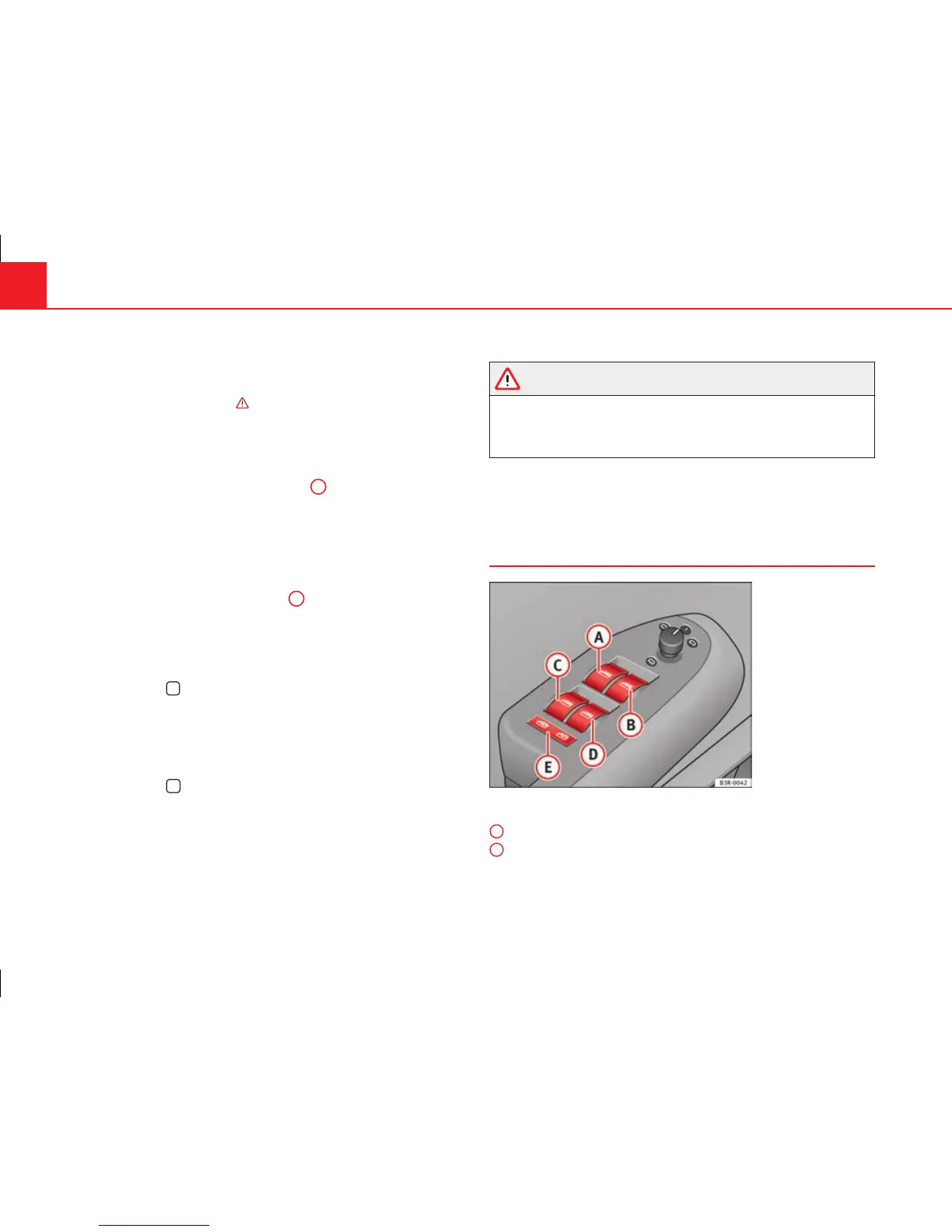
Electric windows
Controls
Fig. 79 Detail of the
driver door: Controls
Switches for front electric windows
Switch ⇒ fig. 79 for the driver door window
Switch for the front passenger door window.
A
B



 To Next Page