157Air conditioning
Controls
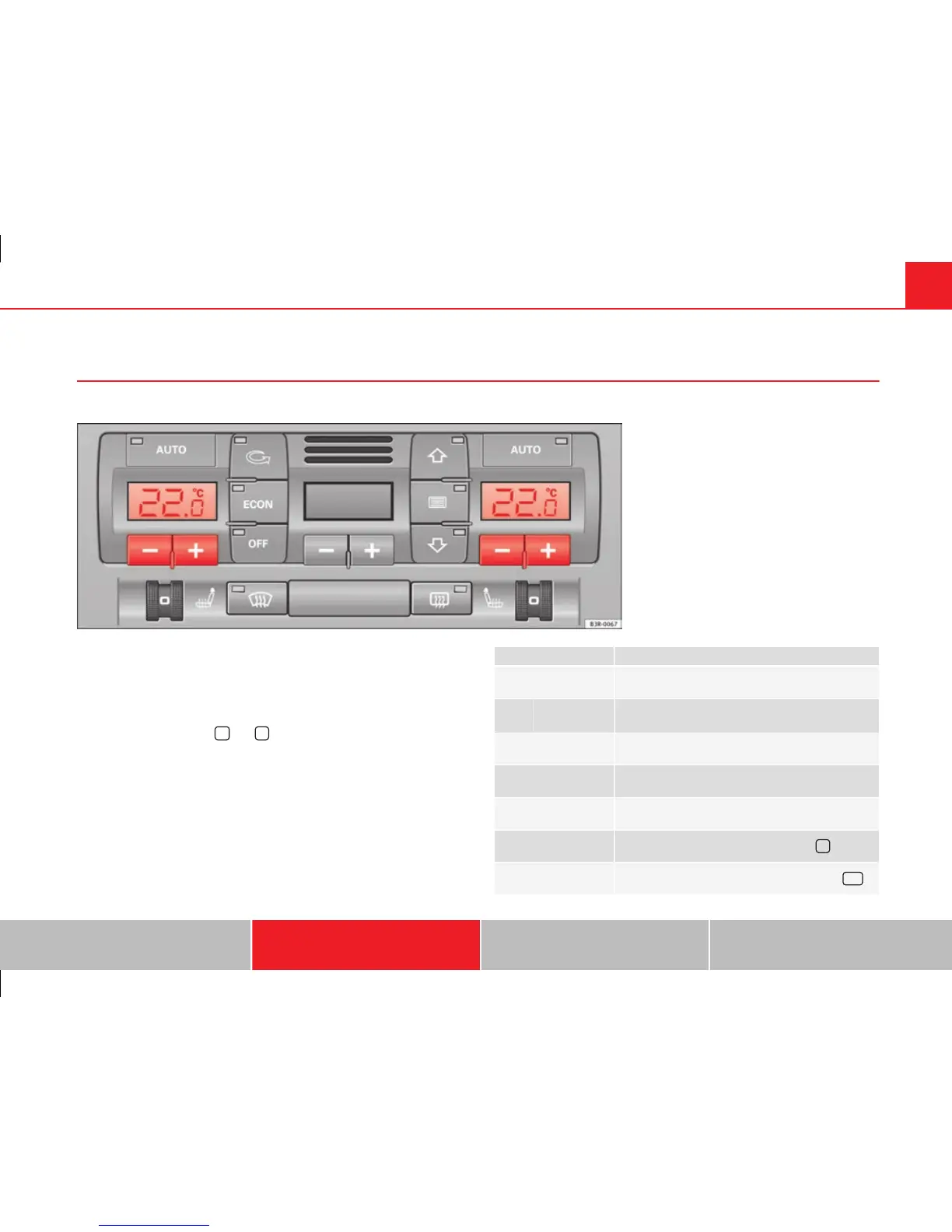
This overview will help you become quickly familiar with the controls for the air conditioner.
Fig. 130 Air conditioner controls
The left-hand display shows the temperature selected for the left-hand side
and the right-hand display the temperature for the right-hand side.
The functions can be switched on or off by briefly pressing the buttons. The
diode on the buttons lights up when the function is enabled.
The grille between buttons
and
must be kept clear, as the tempera-
ture sensors are located behind the grille.
● Do not cover the grille.
● Do not clean the grille with a vacuum cleaner, as this could damage the
temperature sensors located behind the grille.
Button(s) Meaning
Automatic mode
(left and right)
Temperature selection for driver and passenger
sides
Defrost
Manual air recirculation mode
Switches off air cooling
Switches off air conditioner (instead of
)
Automatic air recirculation mode (instead of
OFF
)
Safety First Operating Instructions Practical Tips Technical Specifications



 To Next Page