APOLLO 600+
PG 12 TESTED. TRUSTED… WORLDWIDE.
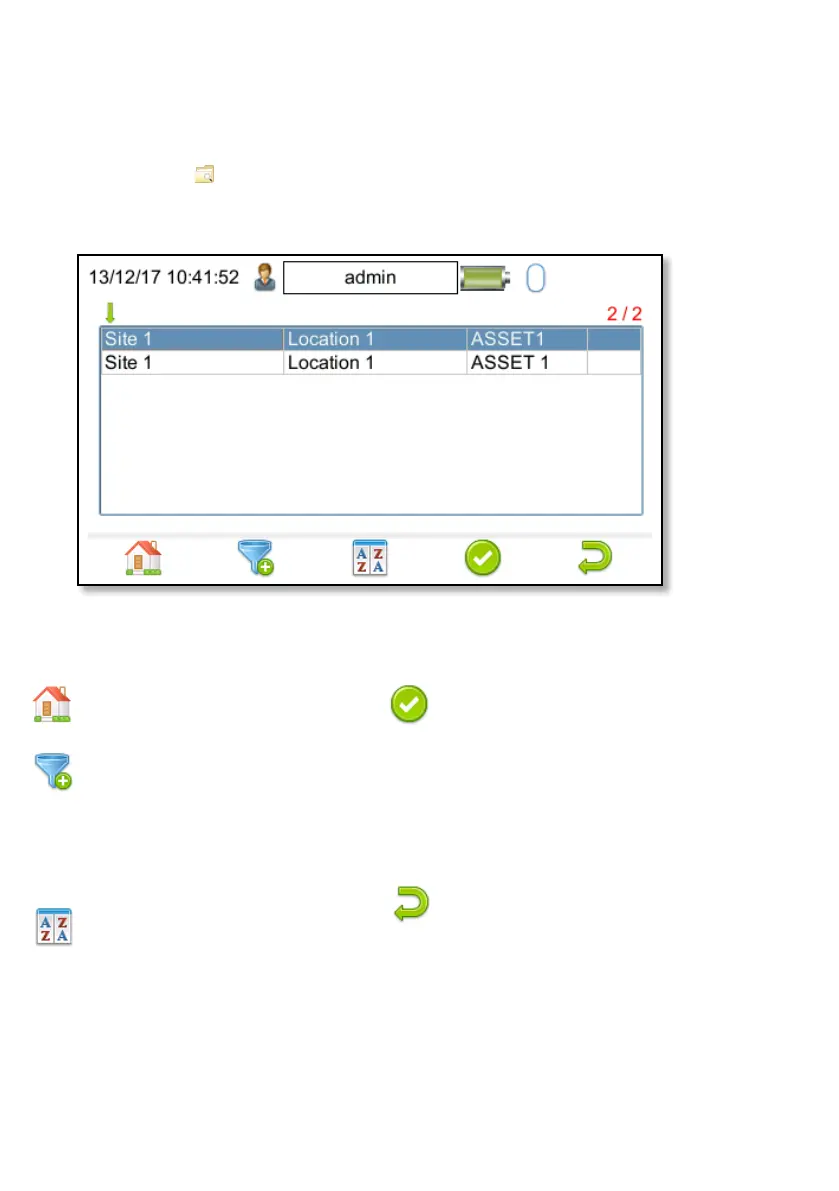
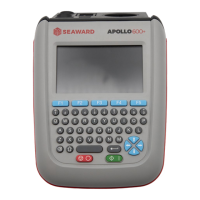
The functions keys in the View Data window correspond to the following:
Use F1 to return to the Home
screen.
Use F2 to filter records to give
a customised view. Select the
filters you wish to apply, using
the arrow keys on the keyboard,
and press F4 to accept or cancel
/ return using F5.
Use F3 to sort the records by
Site, Location or Asset ID to give
a customised view. If the left or
right arrow keys are selected,
in this window, the display will
jump up or down to the next
page respectively.
F4 is the Accept function. This
will open the selected record
to view any corresponding
results, such as PAT Results or
photographs etc. Individual
items can be deleted using the
arrow keys to select and the
delete function F3.
Use F5 to return to the Main
Menu.
MAIN MENU WINDOW VIEW DATA
This will allow you to view any data that you have saved in the instrument. By
selecting View Data (1) in the Main Menu, you can view a list of all saved assets by
Site, Location or Asset ID.


 To Next Page