22
Checking that the contents of the calibration counter are
correct
This seca scale is calibrated. Calibration may be performed only by authorised centres.
To ensure this, the scale is fitted with a calibration counter which records any change to
data relevant to calibration. If you want to check whether the scale is properly calibrated,
proceed as follows:
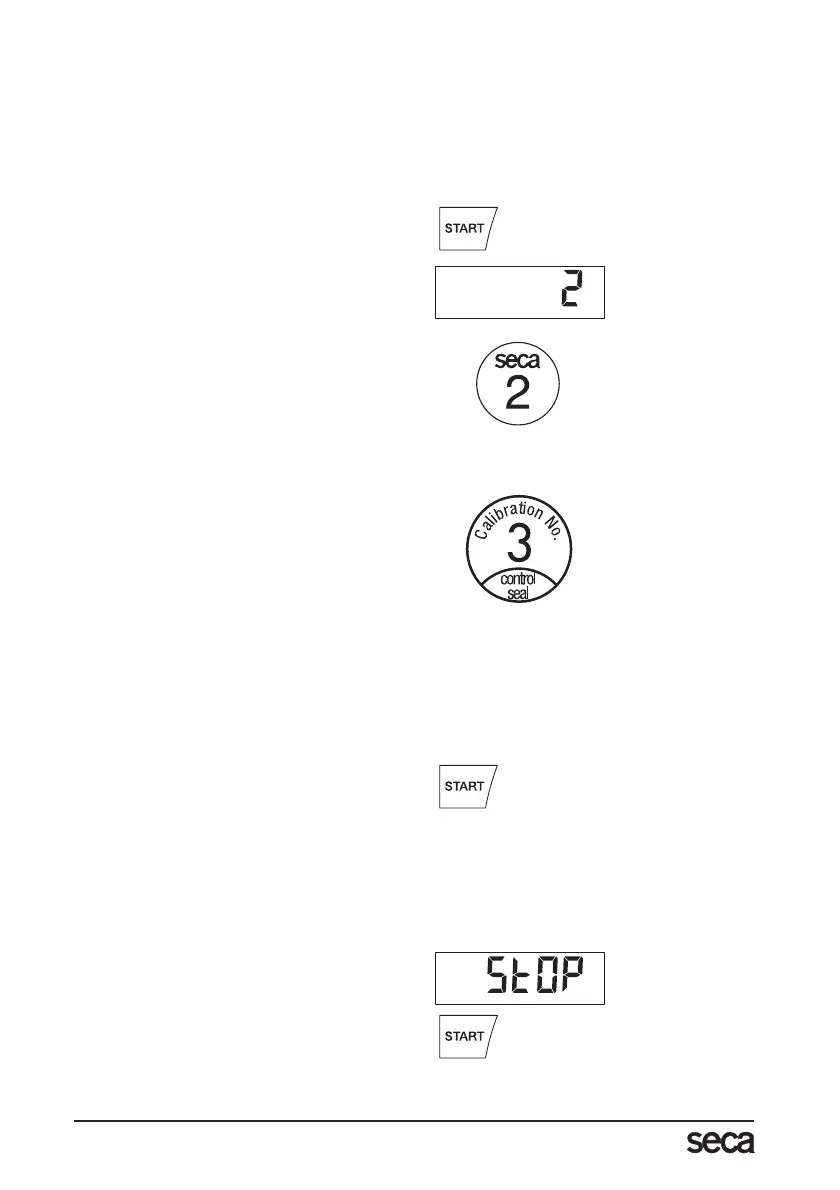
– If necessary, switch off the scale.
– Keep any key depressed and start the
scale.
The current contents of the calibration
counter are shown on the display for a
few seconds.
– Compare the output contents of the cal-
ibration counter with the number shown
on the calibration counter sticker.
For valid calibration, both numbers must
match. If sticker and calibration counter
do not match, then re-calibration is re-
quired. Contact your service agent or
seca Customer Service.
If a supplementary calibration is necessary,
then the supplementary calibration mark il-
lustrated opposite is used to record the cal-
ibration counter position instead of the seca
calibration mark shown above. This mark is
secured with an additional seal by the per-
son authorised to perform the supplementa-
ry calibration. The supplementary calibration
mark is available from seca Customer Serv-
ice under the number 14-05-01-886.
Correct weighing
– Press the Start key with no load on the
scale.
se(a, 8.8.8.8.8. and 0.00 appear con-
secutively in the display. The scale is
then automatically set to zero and ready
to use.
– Stand on the scale and keep still.
– Read the weighing result off the digital
display.
– If a load greater than 200 kg is placed
on the scale, St0P appears in the dis-
play.
– To switch off the scale, press the Start
key again.
Both numbers must match.



 To Next Page