68 •
Detecting devices If you wish to set up a wireless group with the scale, it
will search for other active devices from the
seca 360°
wireless
system. The devices detected are shown as
modules in the display on the scale (e.g. “MO 3”). The
meaning of the numbers is as follows:
•1: personal scale
• 2: length measuring rod
• 3: wireless printer
• 4: PC with seca USB wireless adapter
• 7: baby scale
• 5, 6 and 8-12: reserved for system expansion
7.2 Operating the scale in a wireless group
All the functions required to operate the device in a
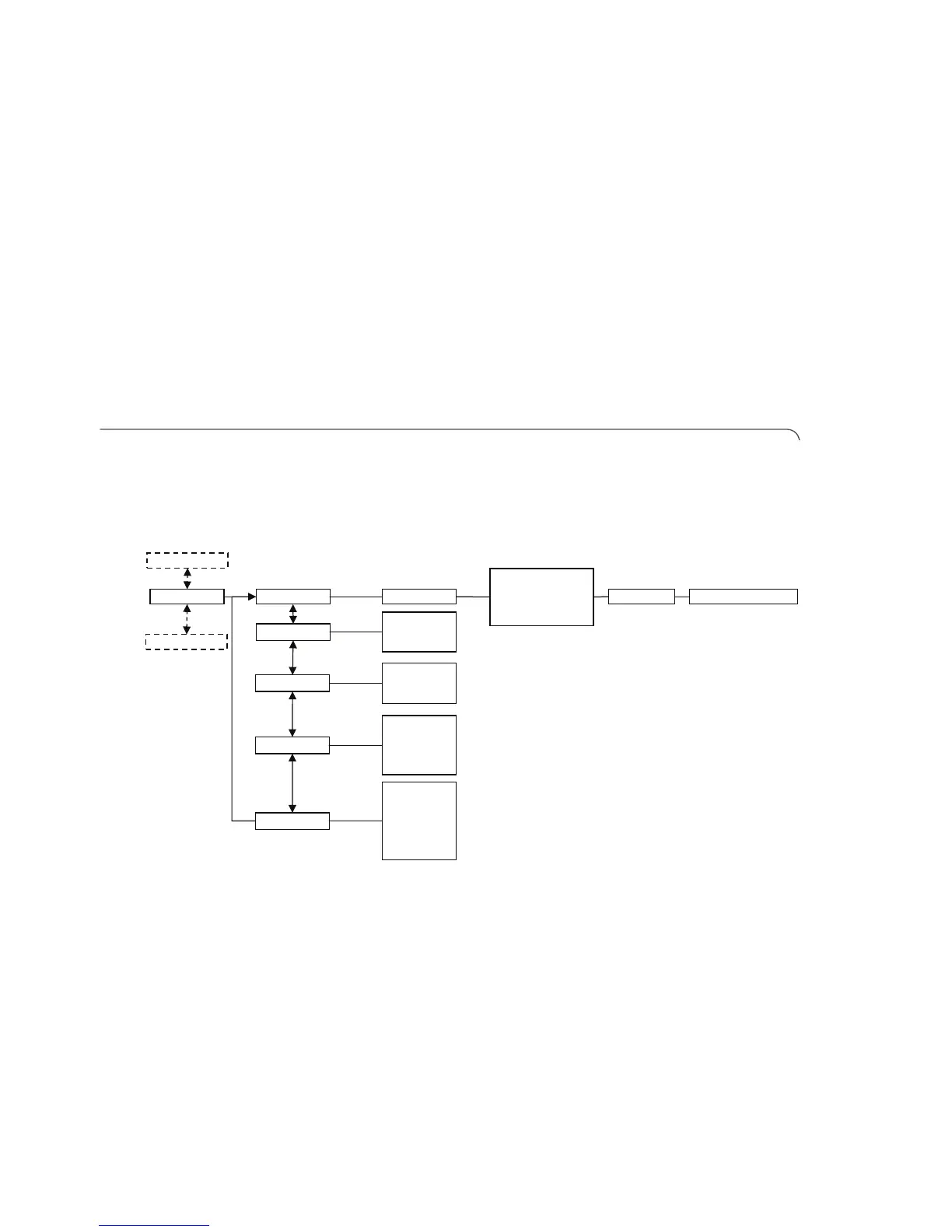
seca wireless group can be found in submenu “rF”.
For information on how to navigate in the menu see
page 62.
Activating the wireless
module (SYS)
The device is supplied with the wireless module disa-
bled. You have to activate it before you can set up a
wireless group.
NOTE
When the wireless module is activated, the
power consumption of the device will increase.
We recommend using a power pack when
operating the device in a wireless network.
1. Switch on the device.
Reg. Devices (MO)
• Channel 1 (C1)
• Channel 2 (C2)
• Channel 3 (C3)
StoprF Group (ID)
Autosend
•On
•Off
Autoprint
•HI
•MA
•HI_MA
•Off
Time
• Year
•Month
•Day
•Hour
•Minute
……
System
•On
•Off
……
Learn



 To Next Page