ProLogic L01 Operation Instructions
10
Manager Code (ID01) is 123456
Note: Super Code will not be changed.
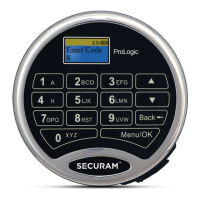
Step1: Press the Menu/OK button
Step 2: Using the and , scroll to the System Menu and Press Menu/OK.
Step 3: The display will prompt you to enter a valid code. Enter either the Super Code (ID00) or
the Manager Code (ID01). The “Select Menu” message will be displayed as follows:
Step 4: Scroll UP to the menu selection “Delete All Users” and Press OK.
Step 5: The system will request a Confirmation. Press OK.
The system will verify that all User Codes have been deleted.
The only remaining codes will be as follows:
• Manager Code (ID01) is 123456
• Super Code (ID00) will remain unchanged.
3.5 Disable/Enable User Codes
This feature would be used in order to disable a user code as opposed to deleting it. Disable/Enable
user codes options may be used when a user’s access rights are temporarily revoked. (I.e. the user may
be on vacation or otherwise away from the business.)
After the code has been disabled, it can be re-enabled at a later time, following the same process by
selecting “Enable User”.
Step1: Press the Menu/OK button.
Step 2: Using the and , scroll to the System Menu and Press Menu/OK.


 To Next Page