Plug one end of the [TYPC
-C cable] into your computer USB
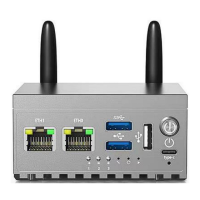
Insert the [card picker thimble] into the H68K [spa
nner hole], press the upgrade button
inside the [spanner hole], there is a feeling of the button springing back the other end of
the [TYPC-C data cable] into the H68K [TYPC-C connector]
Keep the button pressed
during power-up
The down
loa
d tool w
ill
bring up [Found a MASKROM device].
Click on [Era se Flas
h]
and wait for it to fin
ish erasing
.
The card picker ejector pin is used with gentle pressure, please do not poke the button
with a strong miracle.
Click on the [Upgrade]
button, the right win
dow w
ill sh
ow the progress of the download,
wait for the successful boot up (indicator 1 blinking), the download tool will pop up [Found
an ADB device].


 To Next Page