79
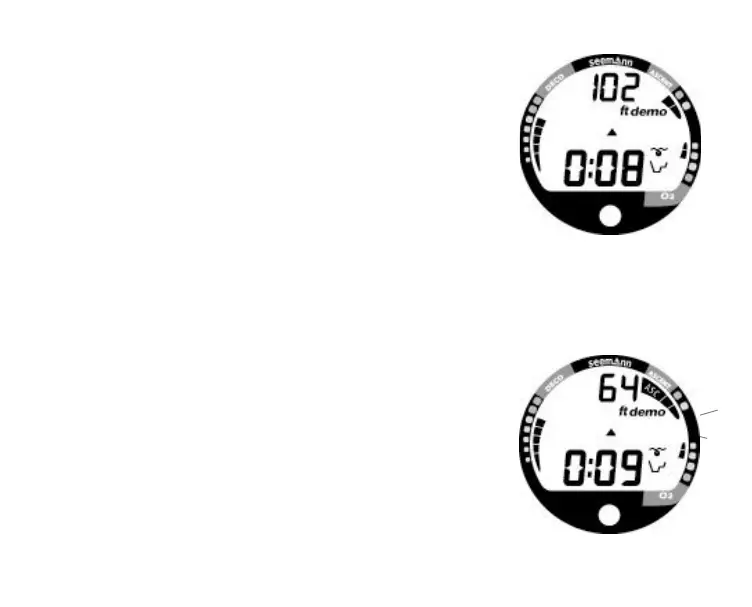
Ascending
• Press and hold the Advance (Front) button for 2 sec-
onds to access Ascent. The UP Arrow will appear
flashing (Fig. 80).
• Press and release the Advance (Front) button again to
begin an Ascent at a rate of 60 feet (18 meters) per
minute at depths deeper than 60 feet (18 meters), or a
rate of 30 feet (9 meters) per minute at depths of 60 feet
(18 meters) and shallower.
• Press and release the Advance (Front) button during the
Ascent to stop the Ascent.
• Alternate Displays cannot be accessed during Simulated
Ascent.
• Press and release the Advance (Front) button to accel-
erate the Ascent Rate to 180 feet (54 meters) per
minute (Fig. 81).
• Press and release the Advance (Front) button during the
Accelerated Ascent stops the Ascent, but does not re-
store normal Ascent Rate. Pressing and holding the but-
ton for 2 seconds will acknowledge and disable the
alarm, however the Accelerated rate will continue. To
slow the Ascent, press the Advance (Front) button
momentarily.
• To exit Simulator Mode, press and hold Both buttons si-
multaneously for 2 seconds to revert operation to real
Surface Mode.
Fig. 80 - Simulated Ascent
Fig. 81 - Ascent Accelerated



 To Next Page