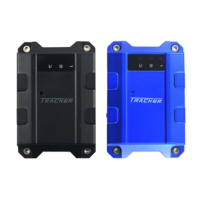
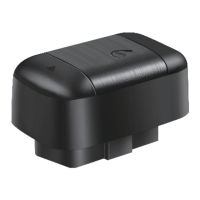
without metal cover.
Note:the metal cover will lessen the receiving of GPS signals.6. The
device connecting requirements.
6.1 The device power supply is DC 9-24V. The red line is positive pole
while the black line is negative pole.
6.2 The negative pole of power supply connects with ground or the
metals. Please do not connect with other ground lines.
6.3 When finishing the power supply wire connection, please make the
plug of power supply to the device.
6.4 Concealed installation.
7. The Device Working
7.1 Power on:when the device is power on, the red LED should be in
constant glow; the green GPS LED should be glisten and
the blue GSM LED should be glisten.
7.2 Power off:pull off the power plug then power off the device.
8. User settings
8.1 Set admin and authorized number
8.1.1 Set and delete admin number
Set admin number:text the commands:#password#ADM1#mobile
phone number# to the device’s SIM card number
Succeed:Add admin account 1 OK! Fail:Format wrong!
For example:set 13500135000 as admin number 1.text the command:
#8888#ADM1#13500135000#
Note:when no admin, any mobile phone number can set the device.
Delete admin number:text the command: #password#DAD1# to the
device’s SIM card’s number(1is admin number1,2 is admin number
2)
succeed:Dele admin account 1 OK! fail:Format wrong or too long!
For example, if deleting the admin 1, pleas text the command:
#8888#DAD1#
Note:only admin can operate.
8.1.2 Check the admin number
check the admin number:text the command: #password#CKAD# to
the device’s SIM card number.
Succeeding reply:Admin1:mobile phone number Admin2:mobile
phone number Failure reply:Format wrong!
Note: Any mobile phone number can check the admin number.



 To Next Page