9
ASSEMBLY AND INSTALLATION
6
1
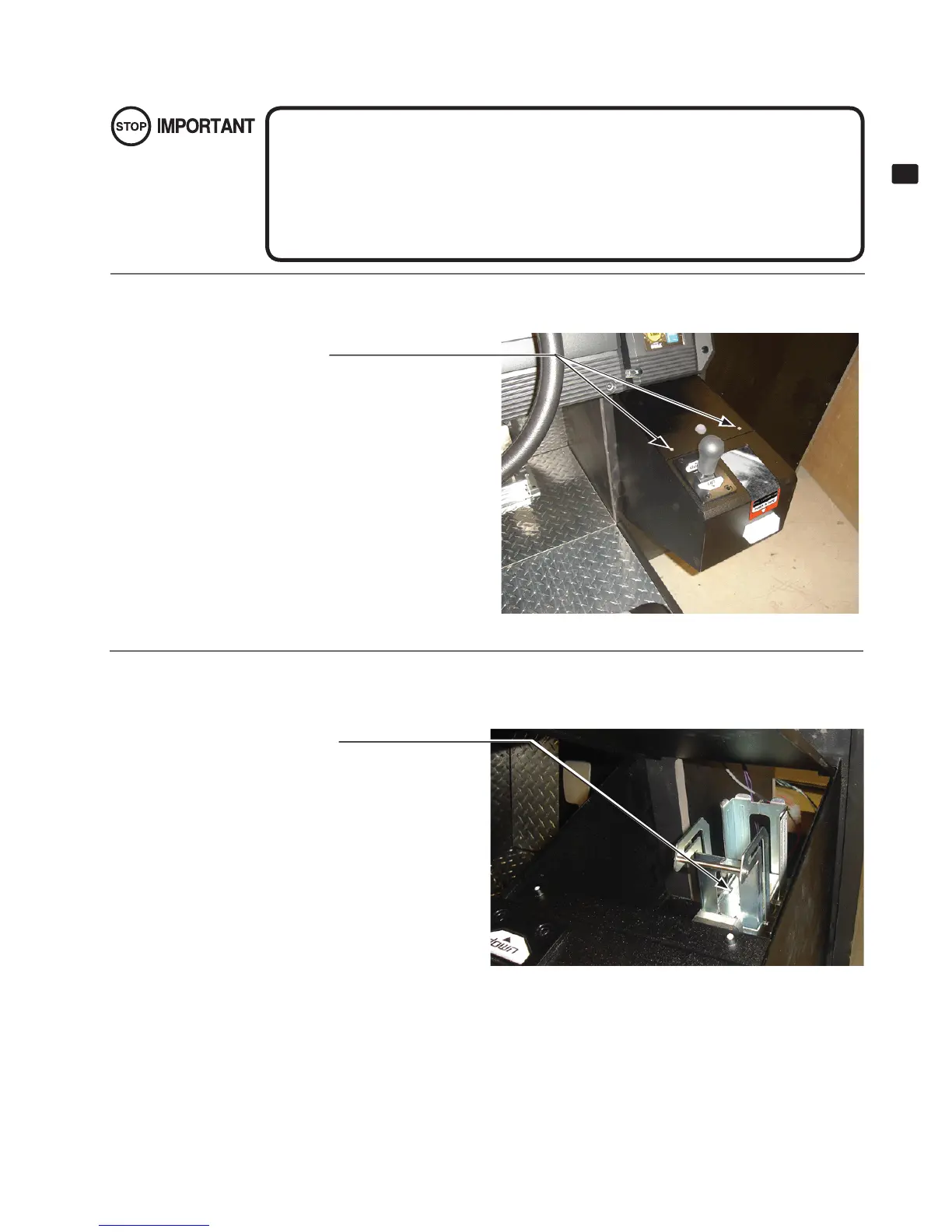
Remove the screws. Use the key to unlock the Card door and remove it.
6-1-3 REFILLING THE CARDS
6-1-3 FIG. 01
● Be sure to use the product’s dedicated cards. Using any other cards may cause the
product to malfunction or become damaged.
● Be sure to adhere to the assigned procedures, orientation, and quantities when loading
the cards. Loading the cards incorrectly may cause damage to the product or malfunc-
tions.
● Be sure to load only new cards, straight out of the box. Do not load warped, deformed,
or used cards.
Truss Head screws (2), black
8-32 x 1/2" Phillips
2
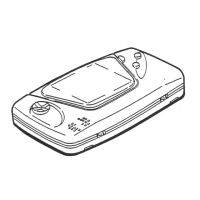
Lift the dispenser retainer as shown in the diagram.
RETAINER
6-1-3 FIG. 02


 To Next Page