EasyManua.ls Logo

Sega SEGA-CD - Playing Compact Discs; Audio CDs

Sega SEGA-CD
28 pages
Print Icon
To Next Page IconTo Next Page
To Previous Page IconTo Previous Page
Loading...
.
Close
the Set
Program*^
and
rnoves
the
hand
cursor to
the
PlAY
or PAUSE
buHorv
.
When o
CD-ROM
gome
disc is
inserted
and
the
SEGA-CD
logo
is on
ween,
vfans »he
gome.
.
When a
CD-ROM
ga.no
*K
is
^ft^
^
^
'*
°"
screen,
moves ihc
hand
cursor to
mc
CD-ROM
button.
!
Urt
Whe
A
n any
disc is
inserted
and
the
SEGA-CD
logo is
on
screen, goes
to
Ihc
Control
Pond.
.
Excels a
Control
Pond
option
seleCed
w*
.he hand
cursor
^"w^
any
disc is
inserted
and
SEGA-CD
logo
is on
screen,
goes
to
the
Control
Panel.
.
Executes
oCont^lPand
option
selected
with the
hand
cursor.
.
When
ihc CO*G
button is
highlighted,
hides
the
Control
Pond o.
restores
it to
the screen
!°Wh^ any
disc
is inserted
ond
the
SEGA-CD
logo
is on
screen,
goes
to
the
Control
Pond.
.
Executes a
Control
Panel
option
selected
with the hand
cursor.
me»og«
"Put a
disk on
the CD
Tray
and
press
the
START
BUTTON
appears
on
screen.
.
It the
disc fay is
already
open,
doses
the troy.
*en
reopens
it ond
rctorru
the
screen to
the
SEGA-CD
logo
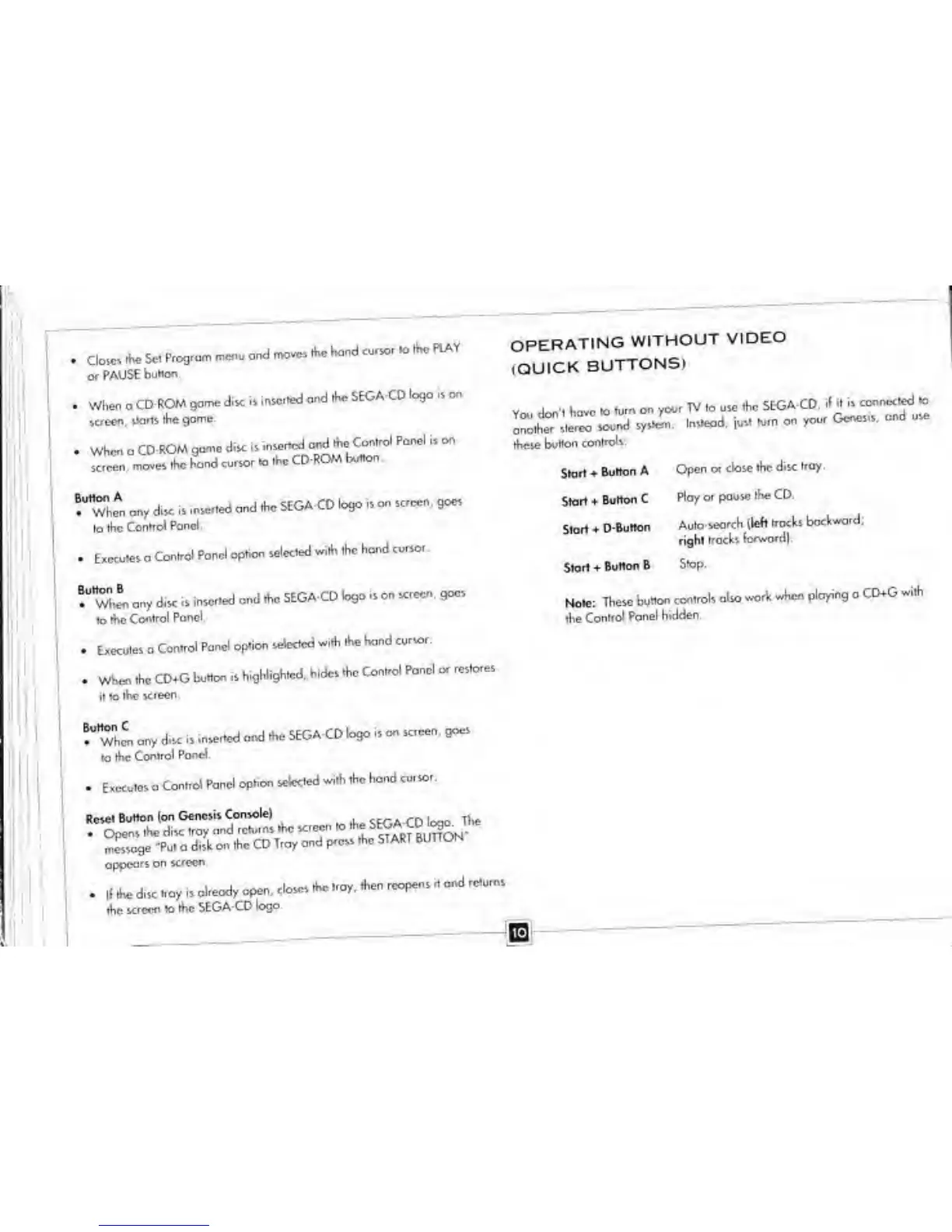
OPERATING
WITHOUT
VIDEO
(QUICK
BUTTONS)
rtvese
button
controls:
Start
Button A
Start +
Button C
Start +
D-Button
Start
+
Button B
Open or
close the
disc tray.
Play or pause
the CD,
Auto
search (left
frocks
backward;
right
traces
forward!
Stop.
Mole:
These
bunco
controls
also work
wh<*
ploying a
CD+G
with
the
Control
Panel
hidden.