SHUFFLE
Wixcs^5therrocfciinarandomofdef.
The option turns
yellow,
and the shuffled order
of
track*
appears on the
Control Panel
display. This option con
be
set while ony
other oplion Is
highlighted. The iWBcd order remains
until you select the
ophon ogoin and press Button
A
B or C
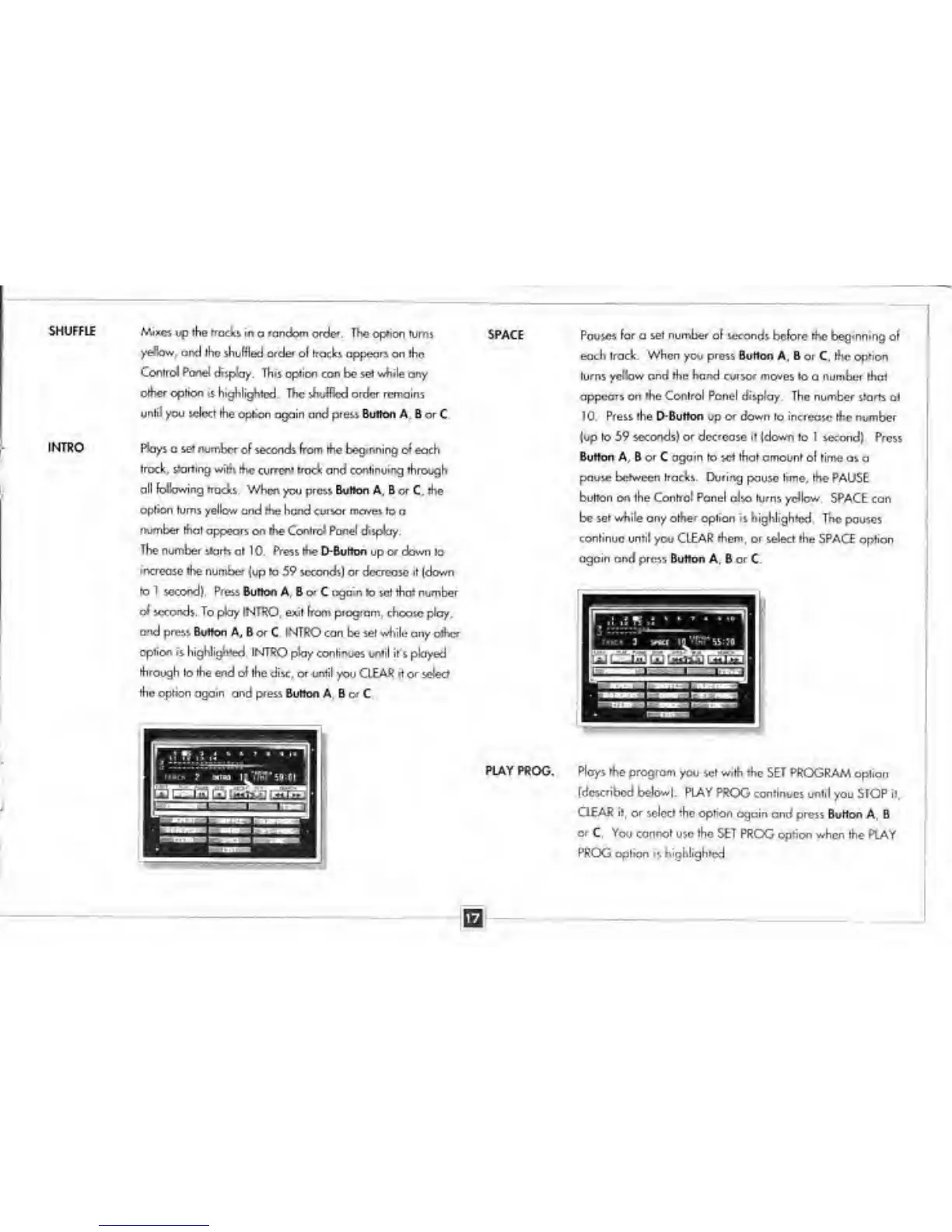
INTRO Plays
a
set number
of seconds from (he beginning of
each
track, starting with
the current trod: and continuing through
all following tracks
When you prcu Button A, B or C, the
Option turns yellow
and
me
hand
cursor moves
to o
number thai appears on the Control Panel display.
The number
skirts at 1
0.
Press me D-Buhon
up
or down
to
increase the number
(up to
5°
seconds) or decrease it (down
tol second}. Press
Burton A. B
or
C
again
to set that number
oi
seconds. To pfcry INTRO, exit from program,
choose ploy,
and
preis Button A, B or
C
INTRO
can be
set while
any omcr
option is
highlighted INTRO play continues until it's played
through to the end of
the disc, or until
yov
CLEAR rt or
s
the ophon ogoin ond press
Button A. 8
or
C
SPACE
PLAY
PROG.
Pause*
(or
a
set number
o( seconds before the beginning
o(
each track. When
you
press Burton A.
B or
C
the
opfion
turns yellow ond the hand cursor moves to
o
number that
appears on
the Conlrol Panel
display. The number starts
at
TO. Press the r>Button
up
or down
to increase the number
(up
to 59 seconds) or decrease it (down
to
I
second) Press
Button A. 6 or C again to set that amount of rime
as a
pause
between
Irackv During
pause
lime, the PAUSE
button
on
the
Control
Panel also turns yellow. SPACE con
be
set while
any
other option is highlighted
The
pauses
continue until
you
CLEAR them, or select the
SPACE option
again ond prcs% Button A,
8
or
C
Ploys the program
you set with the SET PROGRAM
option
(described below|, PLAY
PROG continues until
you STOP
it,
CiEAR it, or select the option
again and press Button A
B
or C. You cannot
use
the
SET PROG option when the PLAY
PROG
oplion is highlighted


 To Next Page