EasyManua.ls Logo

Sega SEGA-CD - Maintaining Your SEGA-CD; Troubleshooting Common Issues

Sega SEGA-CD
28 pages
Print Icon
To Next Page IconTo Next Page
To Previous Page IconTo Previous Page
Loading...
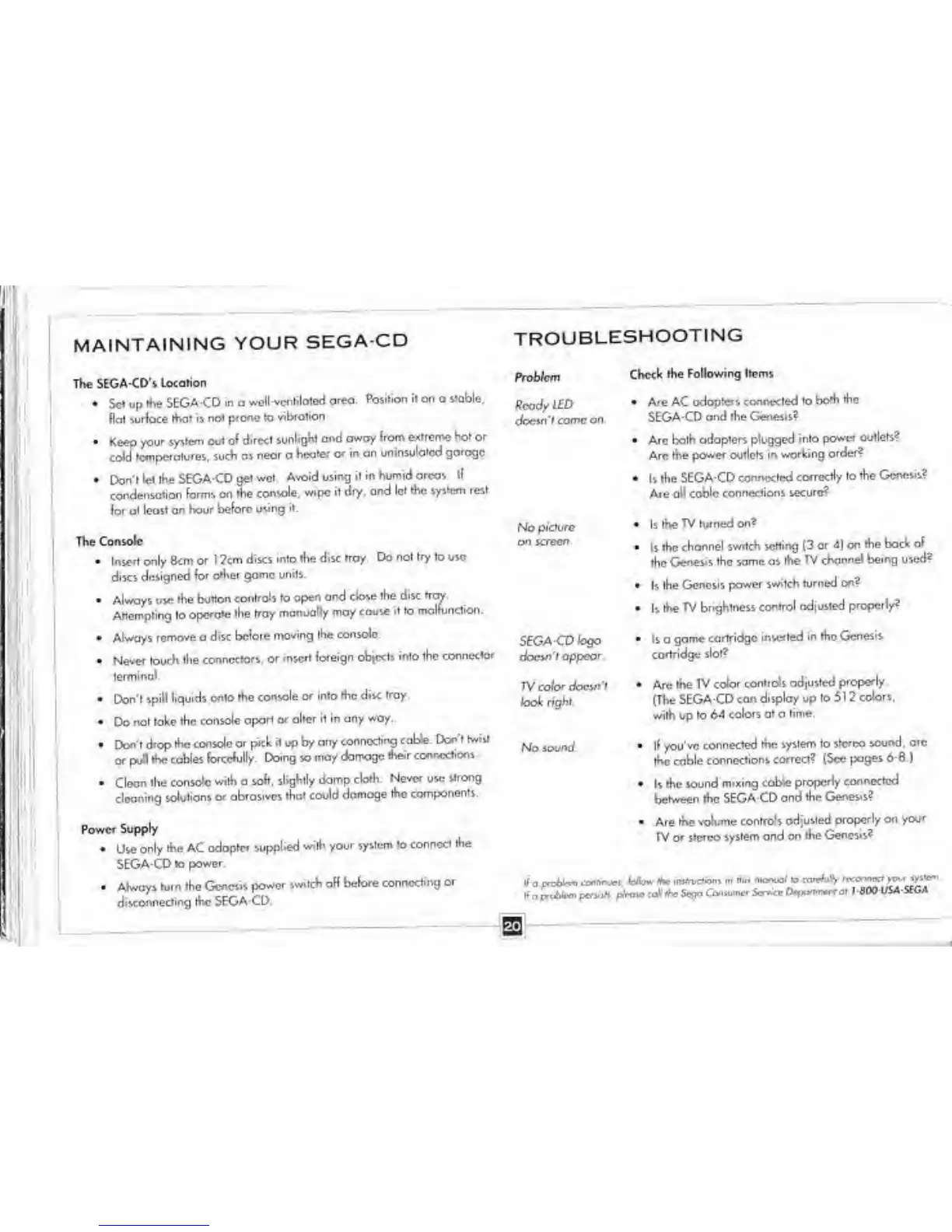
MAINTAINING
YOUR
SEGA-CD
The
SEGA-CD's
Location
Sc*
up
t*>e SEGA-CD in a
welUcnhloiod
area.
Position it on o
stable,
Hal surface
that is not
prone to
vibrotion
Keep your system
out of direct
sunlight
and awoy from
extreme Kot or
cold temperatures,
such as
near
o
heater or in an
uninsulated garogc
Don't
let
Ihe
SEGA CD
get wet
Avoid using it in
humid areas, ll
condensation forms on
the console,
wipe it dry,
and let
the
system rest
(or at
least an
hour before vsing it.
The
Console
Insert only
8cm or 1 2cm discs
into the
disc tray. Do not
try to
use
discs designed
tor
other game units.
Always u*e
the button
controls to ope*
and dose the
disc troy.
Attempting to
operate the
troy
manually may cause
it to
malfunction.
Always remove a
disc before
moving the
console
Never touch the
connectors,
or insert
foreign objects into
the connector
terminal*
Don't
spill liquids
onto the console
or into the
disc tray
Do
not take the
console apart
or alter it in any
way.
Don't drop the
console or pick
it
up by
any
connecting
cable. Don't twill
or pull me
cables forcefully
Doing
so
may
damage
their connections
Clean the
console with a
soft, slightly
damp cloth
Neve* use
strong
cleaning
solutions
or abrasives that
could domoge
the components.
Power
Supply
Use
only the AC
adopter
supplied
with your system
la conned the
SEGA-CD to
power*
-
Always
turn the Genesis
power
switch off
before connecting
or
disconnecting the SEGA-CD.
TROUBLESHOOTING
Problem
RcodylED
Aoeintcomcon,
No
picture
on screen
Check the
Following Items
AreACrxloptcfscrwecredioboAthe
SEGA-CD and
the Genesis?
Are both
adapters plugged into
power
outlets?
Arc the
power outlets in
working order?
Is the
SEGA-CD connected
correctly to
the Genesis?
Ate
all coble connections
secure*
Is
the TV turned
on?
Is the
channel switch letting 13
or 4) on
the back
of
the
Genesis the same as
the TV channel
being used?
Is the
Genesis
power switch turned
on?
Is
the TV brightness
control rousted
properly?
Is a
game
cartridge
inserted in the Genesis
cartridge
slot?
Are
the TV color
controls adjusted
properly.
(Tl>e
SEGA-CD
can display up to
5
1 2
colors,
with
up
to 64
colors at
a
time.
ll you've
connected the
system to stereo
sound, arc
the cable
connections
correct? (Sec pages
6*6.)
Is
the
sound
mixing
cable properly
connected
between the SEGA-CD
and the
Genesis?
-
Are
the volume
controls adjusted
properly on
your
TV or stereo
system ond on
the Genesis?
If
a
pre**" W^mm
."*vcW>
«
™W
*
PSKfiMET
$£GA-C0
logo
docw'i
appear
TV color
doevrt
look right.
No
sovnd.

Related product manuals