EasyManua.ls Logo

Sega SEGA-CD - Connecting a Stereo TV

Sega SEGA-CD
28 pages
Print Icon
To Next Page IconTo Next Page
To Previous Page IconTo Previous Page
Loading...
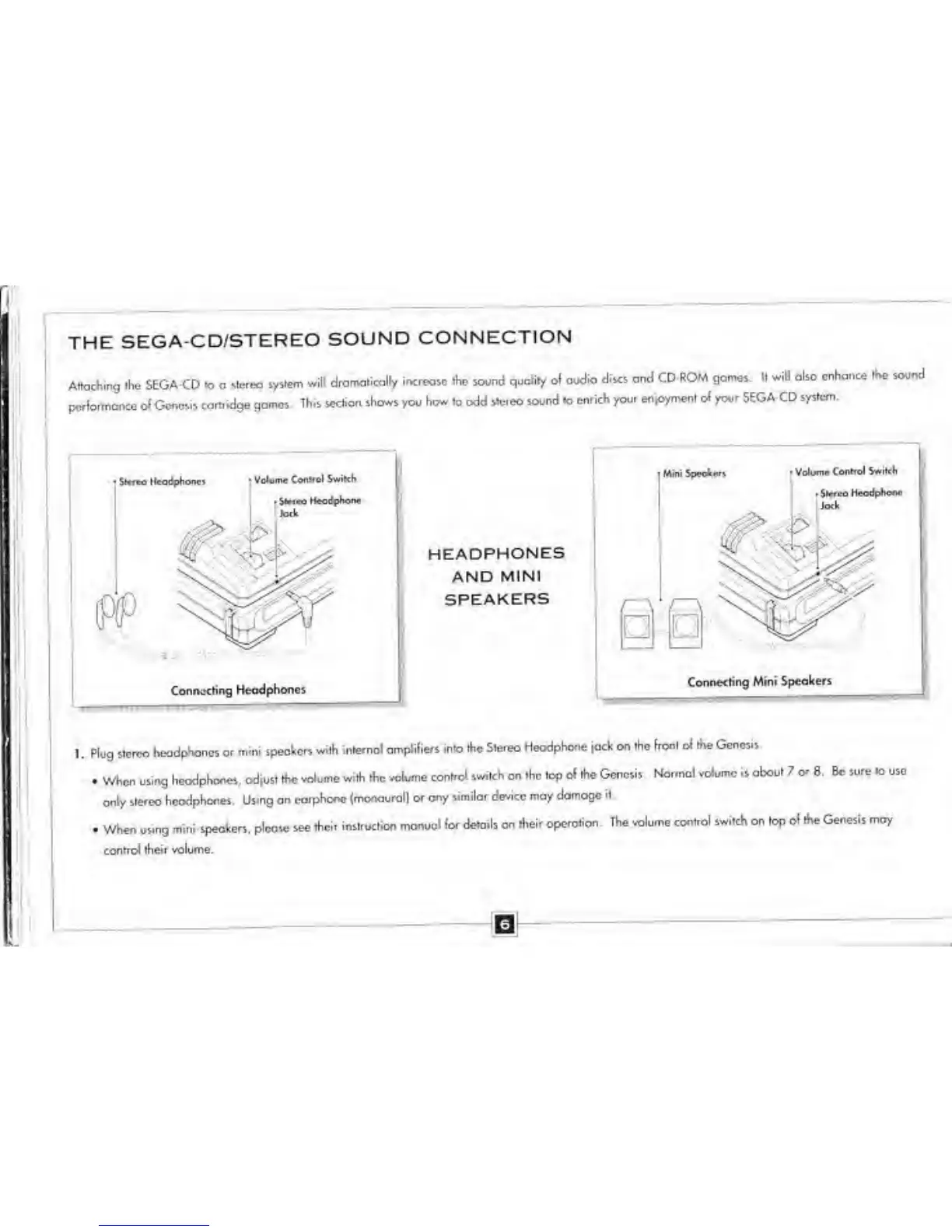
THE
SEGA-CD/STEREO
SOUND
CONNECTION
Attaching the
SEGA-CD
to
a stereo
system
will dramatically
increase the sound
quality ol audio
discs and
CD-ROM gomes. H w
pcfla.-r.once
at Genesis ca-hidge
gomes.
This section
shows
you
how
to odd
s»e.eo
sound
to
enrich you.
enjoyment of your SEGA-CD
system
H also
enhance
the sound
$*™
Hc<idphonc)
Volume
Control Swikh
Jack
Connecting Headphones
HEADPHONES
AND
MINI
SPEAKERS
Mini feeota
»
Volume
Conrrol
jock
Connecting Mini Speakers
1 . Mug
stereo
headphones or
mini speakers with
internol amplifiers
into the Stereo
Headphone
jack on the front
of the Genesis.
.
When using
headphones,
odjust the volume
wHh the
volume control
switch on the top
of the Genesis Normal
volume is about
7
or
8.
Be
sure to use
only
stereo hcodplwnes.
Using an
earphone
(monaurall or ony similor
device may
domogc it
.
When using mini
speakers, please see
their
instruction manual for
details on their
operation. Ihe
volume control
switch
on
top of the
Genesis may
control
their volume.

Related product manuals