EasyManua.ls Logo

Sega SEGA-CD - Saving Your Games; Using the SEGA-CD Features; The Control Panel; Control Panel Display

Sega SEGA-CD
28 pages
Print Icon
To Next Page IconTo Next Page
To Previous Page IconTo Previous Page
Loading...
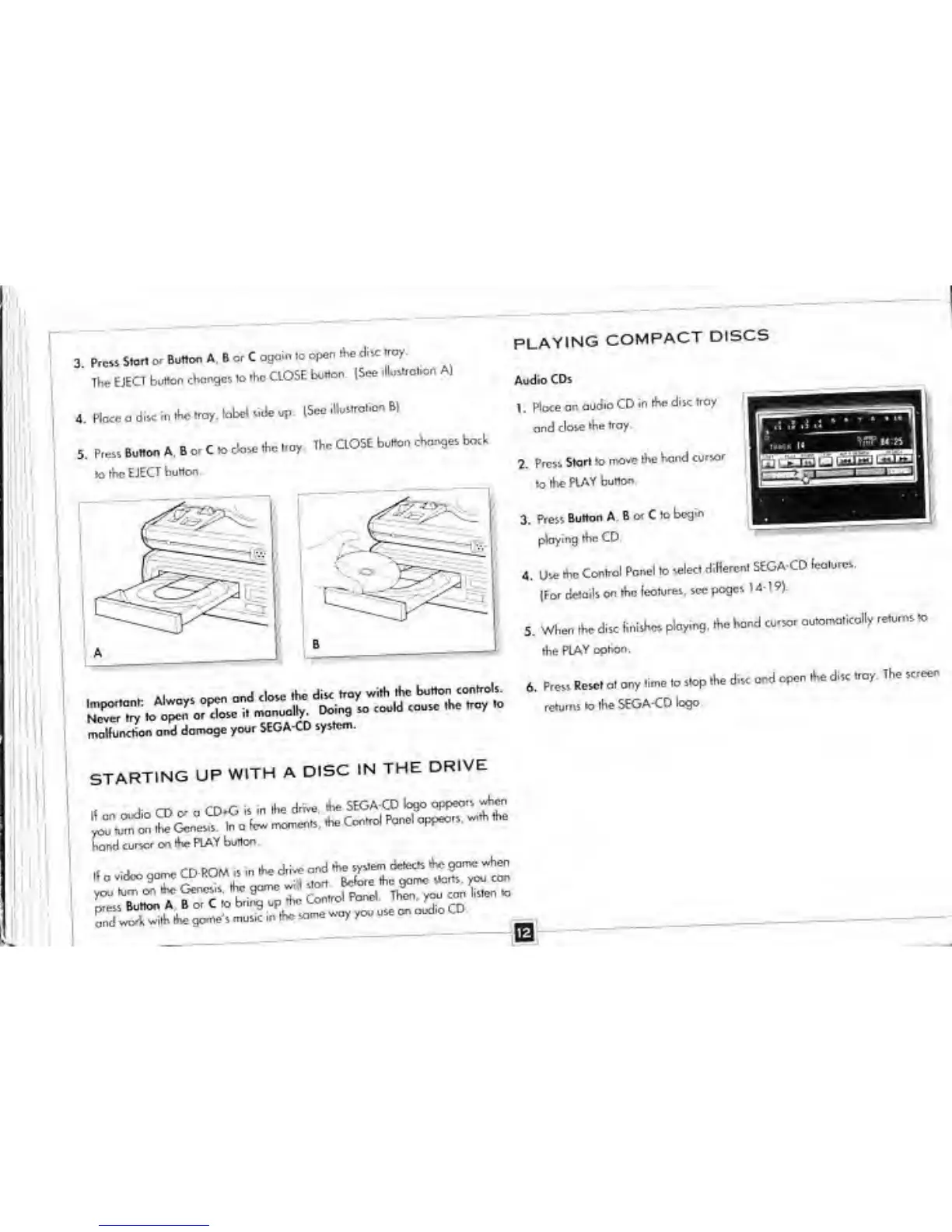
3. Press
Storl o>
Button A. B o.
C
ogain to
open the
disc
troy.
The
EJECT
button
changes
.o
the
CLOSE
bu«on.
(See
.Hust-afon A]
4.
Place a
disc
in the «ray.
^
side up.
ISee
iUustroKon B|
5.
P,essBuW.BorC.oc»ase.he,oy
The
CLOSE
button
changes
bock
10 ibe
EJECT
button.
PLAYING
COMPACT
DISCS
Audio CDs
1. Mace
on
audio
CD
in the
disc tray
and
close
the
tray.
2.
Press
Start
to mo-e
the
hand
cursor
lo the
PLAY
button
X
Press
Button A,
B
or
C
to
begin
ploying
the CD.
4. Use
the
Control
Panel
to
select
different
StGA-CD
features.
(For
details on
the
lectures,
sec
pages
14-19)
5. When
the disc
finishes
ploying,
the
hand
cursor
automatically
re^s ta
the
PLAY
option.
_
j.
,
M.
thr- button
controls
6.
Press
Reset a.
any time
ta
stop the
disc
and
open the
disc
troy. The
screen
.^.theSEOA-CD^
Son
and
damage
you.
SEGA-CD
system.
STARTING
UP
WITH A
DISC
IN
THE
DRIVE
hand
curse-
on the
PLAY
button.
„
a
vidco 90™
CD-ROM
is
in
ft.
d*J
ood
*XtaSi^S!^
video
game
CD-ROM
» ,n
me c»r* 0™
»-y~" "
^
con