17
COMMUNICATION PLAY
102
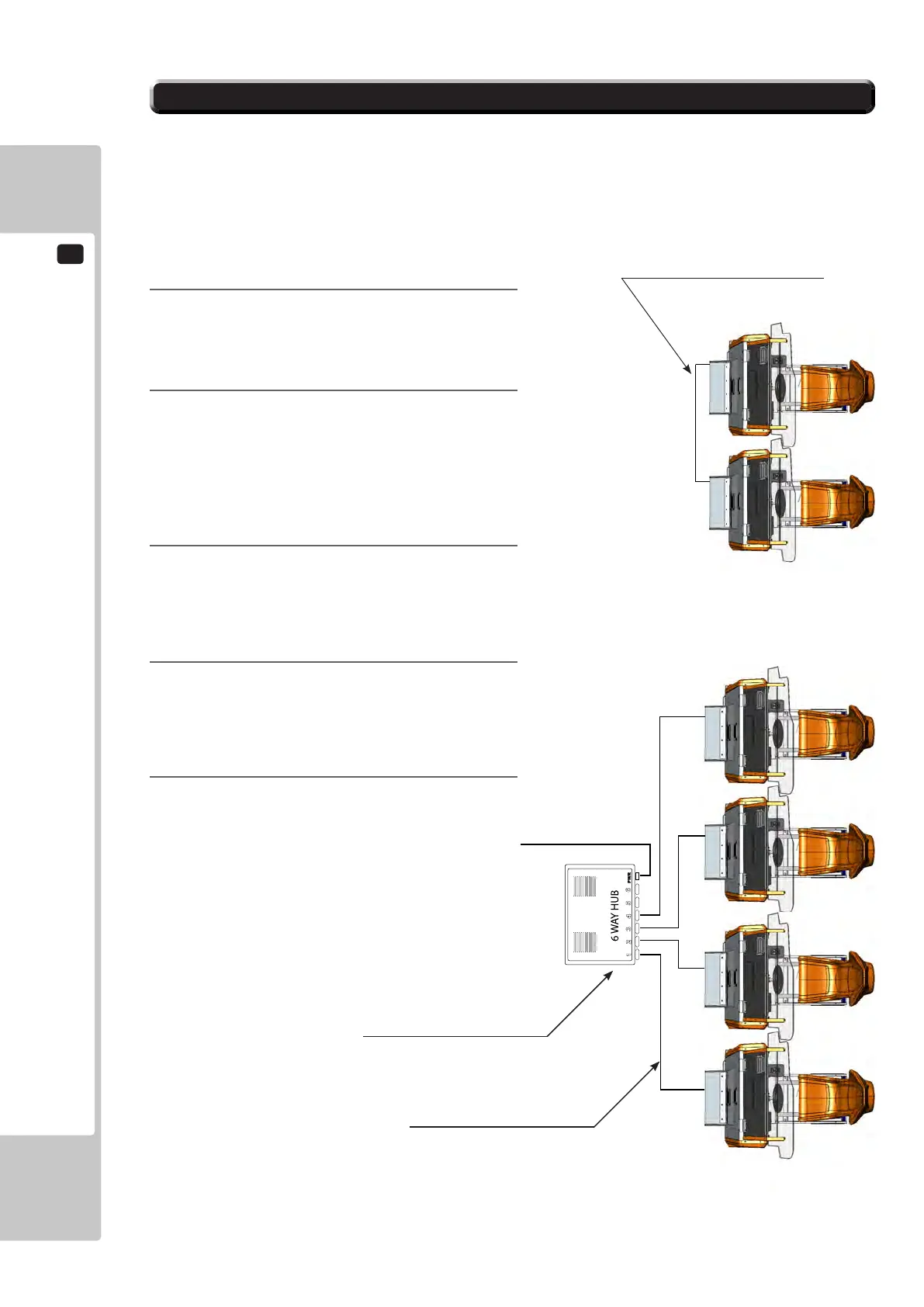
To enable network play, the Hubs inside each of the game machines involved must be connected with network (LAN)
cables. Up to a maximum of 4 machines (4 Players) can be Networked together, all that's required is to link between
the Hubs of each of the machines that are to complete the ‘Network’.
Please refer to Chapter 6-3 for location of Network connections on A/C unit.
17-2 CONNECTING THE COMMUNICATION CABLE
1
Turn off the power and unplug the power cord
from the outlet.
2
Using Chapter 6 of this manual as reference, move
the machines so that they are lined up.
Leave enough space behind each Unit to allow
access for a Network HUB (only required for 3 or
more seats) which when located will be positioned
near the Slave Cockpit of each Machine.
3
When linking 2 seats or “Twin” cabinet, use a
single Lan Cable, Pt. No. 600-7279-0200UK
(Supplied). Connect the Lan cable directly to the
A/C unit between both cabinets
4
When linking 3 or more seats a Hub Kit must
be used. Please contact SEGA or your local
distributors office for further technical or sales
information
5
Once the desired Network connections have been
established, power on the machines and enter
TEST MODE to allocate each seat a number
within the NETWORK TEST.
A typical illustration of 4 seats in a network
Lan Cable (600-7279-0200UK).
Network Kit - Not Supplied
Standard Lan Network Cable
(use ONLY when connecting 2 seats).
To Purchase This Item, Please Visit : BMIGaming.com | Call Global Sales : + 561.391.7200 | USA / CA : (800) 746-2255












 To Next Page