64
CONTROL UNIT
10
Replacing the Volume
1
Switchotheunit.
2
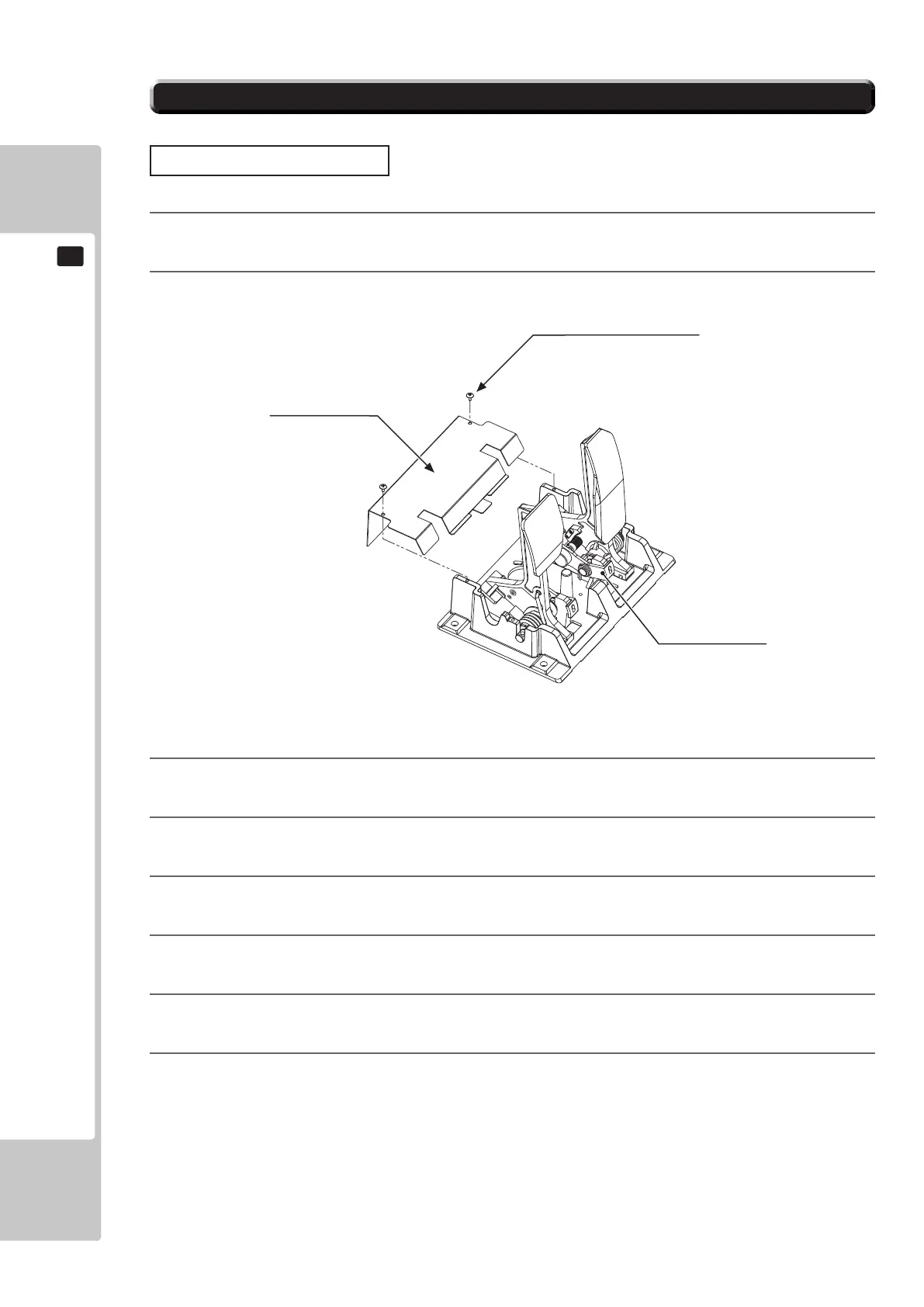
Removethetwoscrewsandliftothepotentiocover
.
3
Detachtheconnectorfromthevolumetobereplaced.
4
Removethesinglescrewthatsecuresthepotentiobase.(see10-31FIG.02).
5
Withoutdetachingthevolume,removethepotentiobase.(see10-31FIG.03).
6
Removethebaseandgearfromthevolume,andreplaceit.
7
Afterreplacement,congurethevolumeasdescribedabovein“AdjustingProcedure”
8
Whenyouhavenished,checkthatthevalueschangesmoothlyinresponsetopedalinput.
TRUSS SCREW (2), chrome
M4x8
POTENTIO COVER
POTENTIOBASE
10-3-1 ADJUSTING/REPLACING THE VOLUME POT
To Purchase This Item, Please Visit : BMIGaming.com | Call Global Sales : + 561.391.7200 | USA / CA : (800) 746-2255












 To Next Page