13
LAMPS AND LIGHTING
86
4
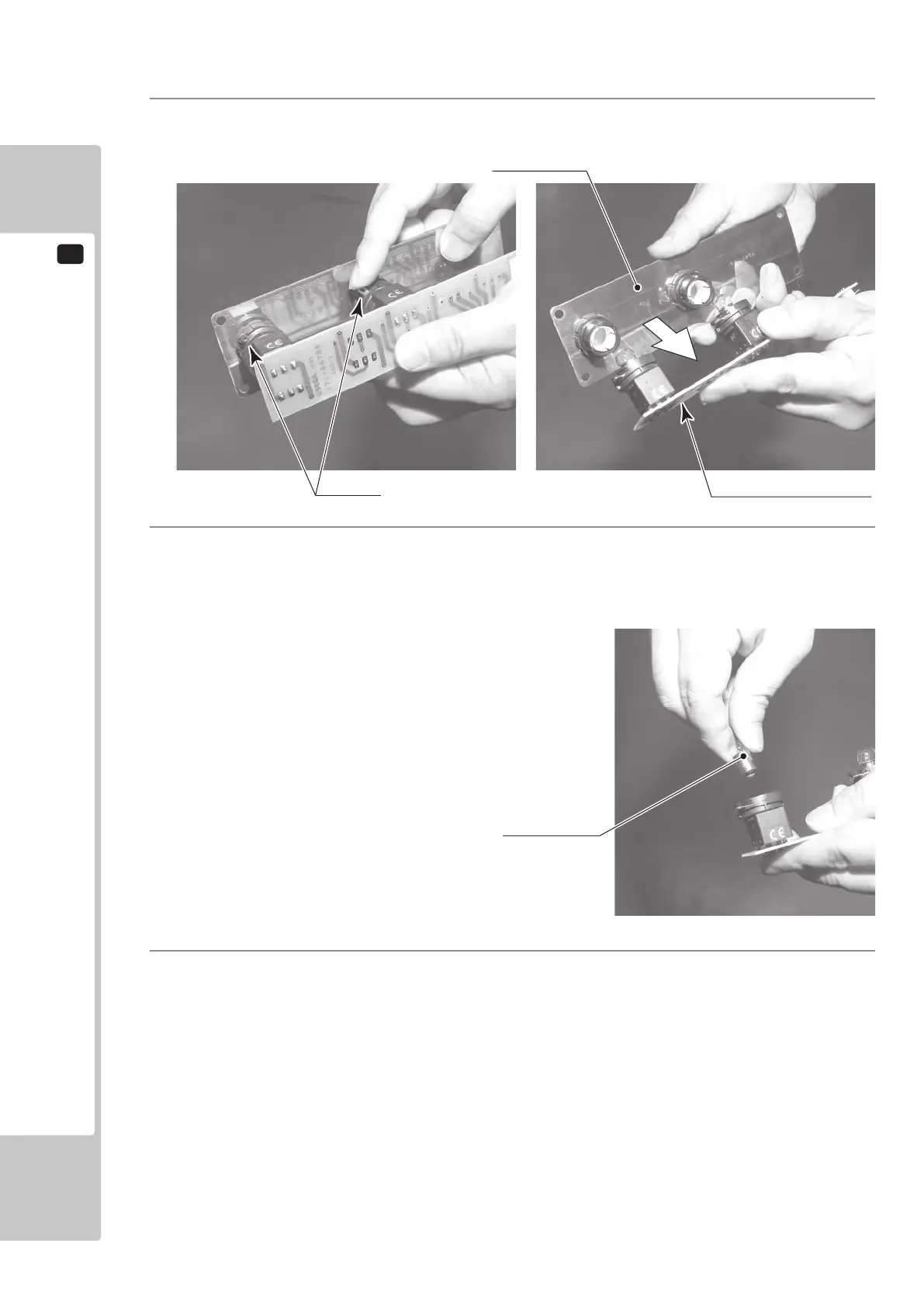
There is a metal tting at the base of the buttons on the Button Plate. Rotate this metal tting to unlock it,
then remove the printed circuit board from the Button Plate.
5
Press and turn the lamp counter-clockwise to remove it.
Unlock.
PRINTED CIRCUIT BOARD
START LAMP 12V 2W (Pt No LT1060)
VIEW LAMP 12V 2W (Pt No LT1060)
6
Replace the bulb with one matching the specication stated , then reassemble the Unit in the reverse order
and ret the Button Unit to the control Panel.
To Purchase This Item, Please Visit : BMIGaming.com | Call Global Sales : + 561.391.7200 | USA / CA : (800) 746-2255












 To Next Page