For Android smart phone:
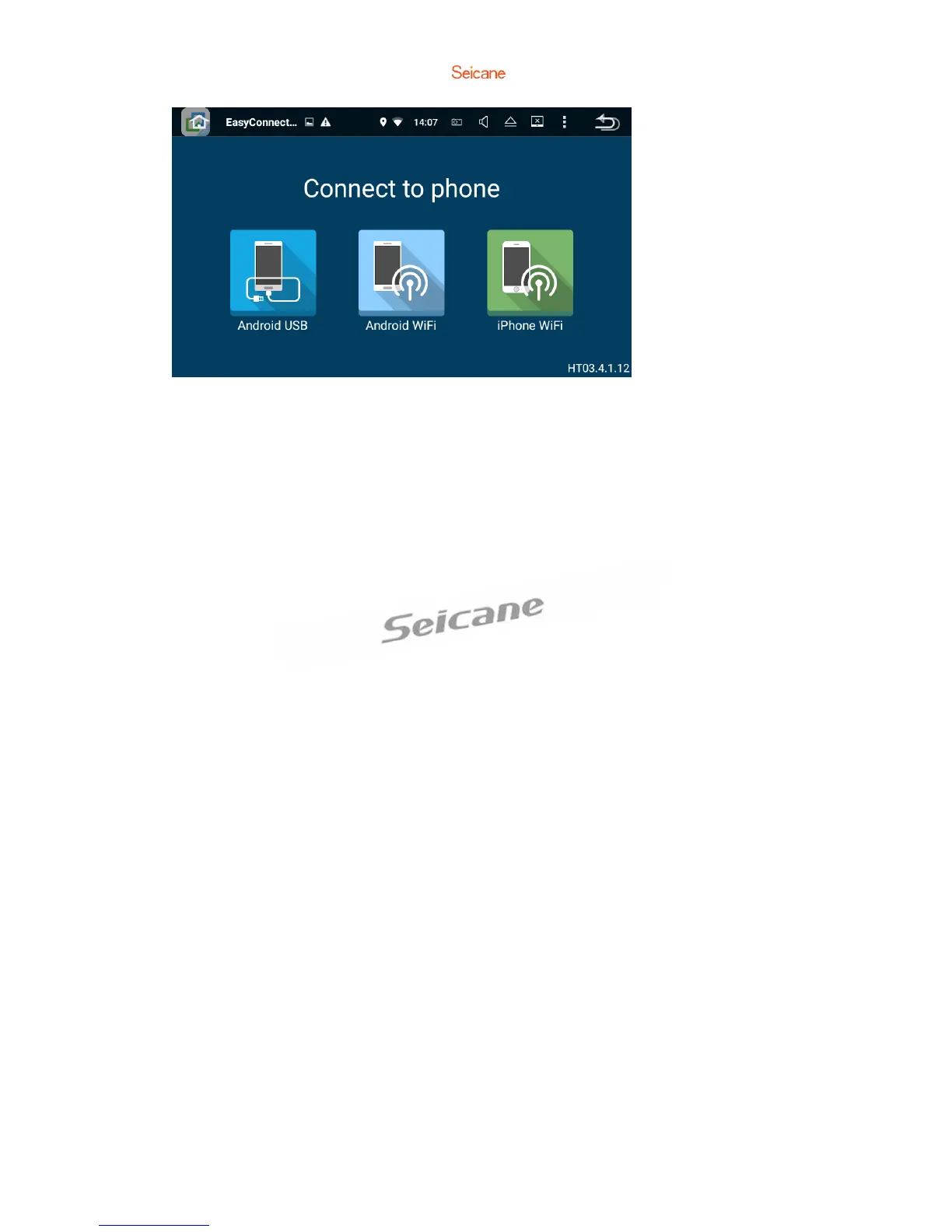
1. Connect via USB cable
a. Go to Settings→About Device, then tap Build number 7 time to enable Developer
options. Turn on USB debugging. A message “Allow USB debugging?” will pop up.
Turn Always allow from this computer on, then tap OK.
b. Connect your Android smart phone to this unit via a USB cable.
2. Connect via Wi-Fi
a. Go to Settings→Wireless & networks→More→Tethering & portable hotspot,
then turn Portable Wi-Fi hotspot on or tap Set up Wi-Fi hotspot.
b. Tap Android Wi-Fi, then select your Android device name from the hotspot
list.Enter the password when prompted.
※ Please note this function is only applicable for the smart phones equipped with
wireless mirroring function and it only supports Android version above 4.0 streaming
requires a Bluetooth connection.
For iPhone:
a. Go to Settings→Personal Hotspot, then turn Personal Hotspot on.
b. Tap iPhone WiFi, then select your iPhone name from the hospot list. Enter the
password when prompted.
c. Tap AirPlay in the Control Center on your iPhone. Select EC-Mirror and turn
Mirroring on.



 To Next Page