Selecting character spacing
Sets one of the character spacings. When CODE is selected, the character spacing can be
changed by a software command.
When speed draft or super speed draft is set while a fixed spacing is designated, the character
spacing becomes 12 CPI or 15 CPI, respectively.
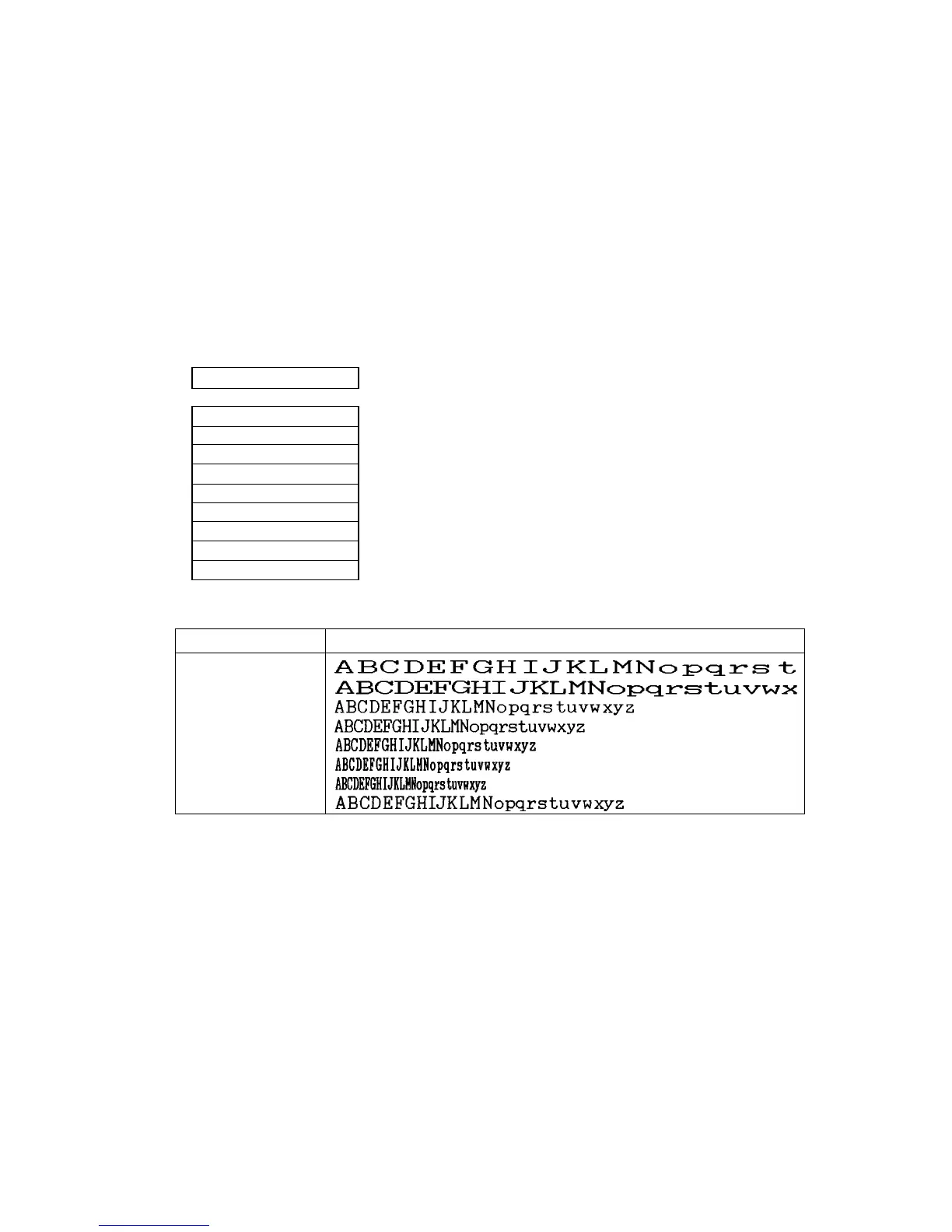
2 CHAR PITCH
PITCH: CODE
PITCH: 5 CPI
PITCH: 6 CPI
PITCH: 10CPI
PITCH: 12CPI
PITCH: 15CPI
PITCH: 17CPI
PITCH: 20CPI
PROPORTIONAL
.................... Default character spacing is 10 cpi printing.
CHARACTER PITCH PRINT SAMPLE
5 CPI
6 CPI
10 CPI
12 CPI
15 CPI
17.1 CPI
20 CPI
Proportional
27
4. Basic setup options (2)


 To Next Page