❏ Lubrication
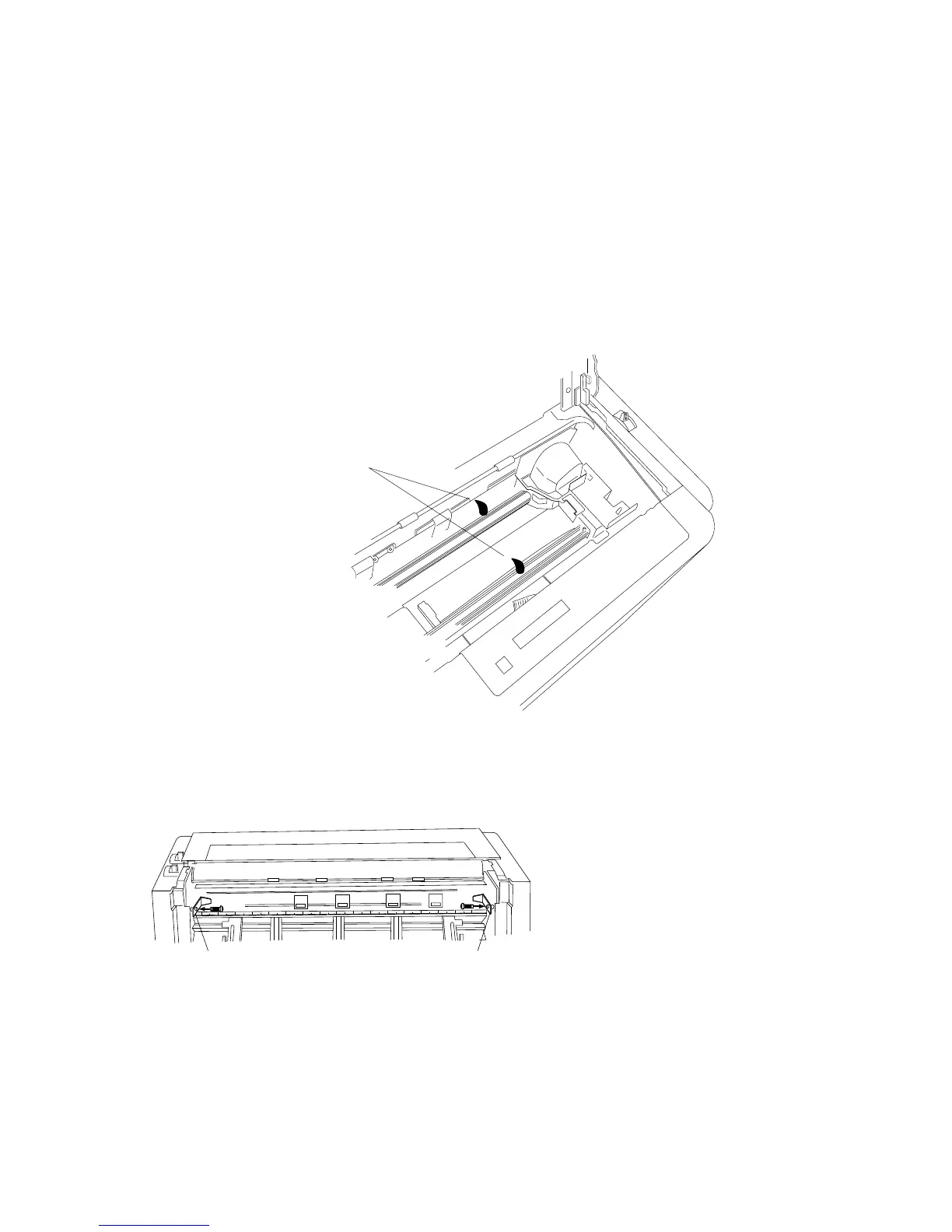
In the case of heavy use of the printer, apply a specified lubricating oil only to the front and
rear metal carriage bar. When applying the lubricant to the carriage bars, spread the oil by
manually moving the print head back and forth along the carriage bar.
Consult your dealer to obtain the recommended lubricating oil. Do not use an unspecified oil,
or it may reduce the printer's performance drastically.
❏ Printer cover removal
Oiling
Clean thorougly with a dry cloth,
then apply specific type of lubricants:
Cosmo Hydro (HV#22) recommended.
Front bar
Rear bar
Rear Top Cover Removal
◆ Remove the Rear Cover.
Open the Rear Cover to the level
position and pull it.
◆ Remove the two Stoppers for the Rear
Top Cover.
Detach the two screws to remove the
two Stoppers.
◆ Remove the Rear Top Cover.
Slide the Rear Top Cover toward the
rear and raise it to vertical position and
lift straight upward.
59
8. Maintenance (Lubrication)


 To Next Page