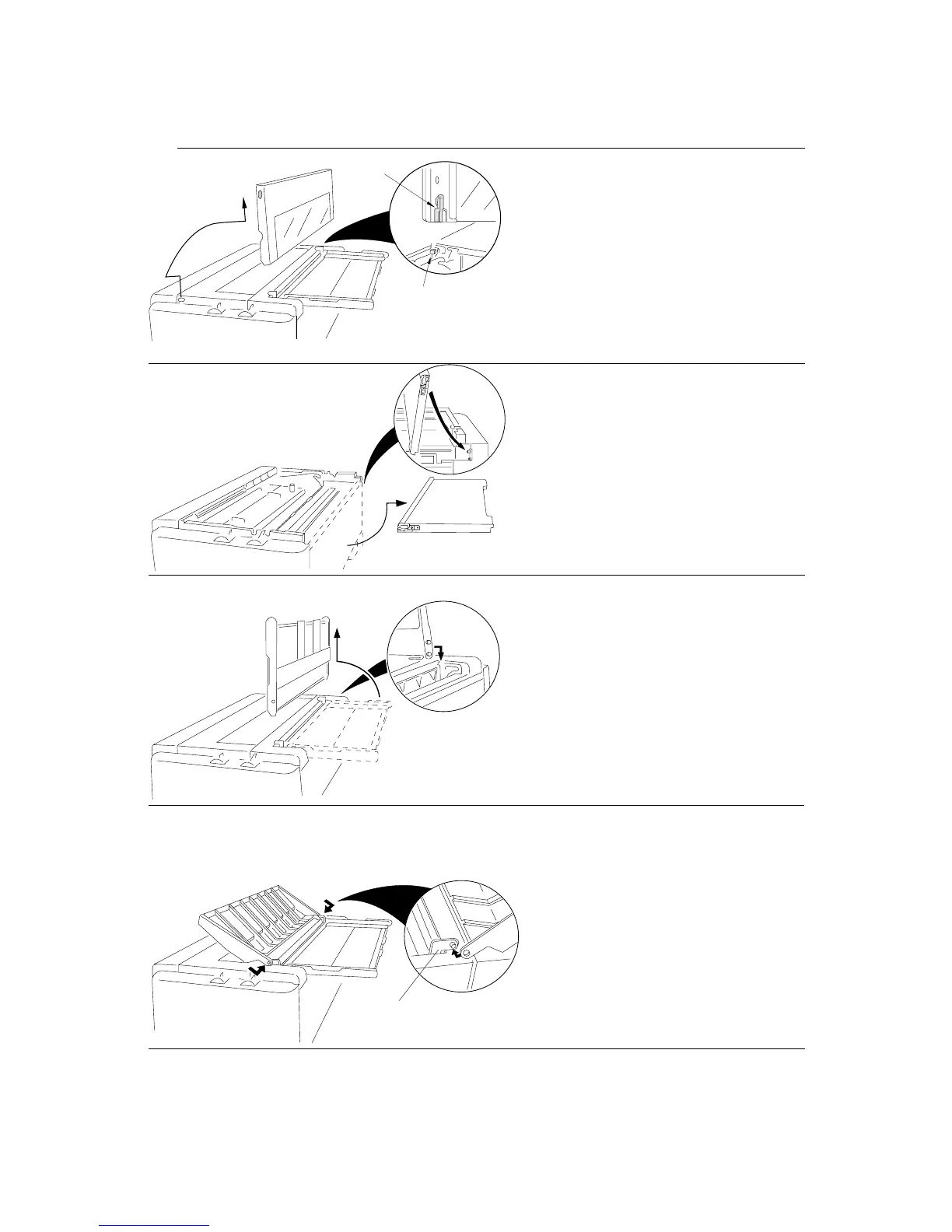
Printer Cover
◆ Open the front cover to an upright
position, then lift and remove the
cover.
Rear Cover
◆ Open the rear cover from the
bottom edge and pull it toward the
bottom to remove.
Paper Rack
◆ Slide both paper guides to the
extreme left and right edges of the
paper rack. Raise the rear end to
stand vertically and lift straight
upward to remove.
Sound Seal Cover
◆ Push out on the outer edge of the
sound seal cover where it connects
to the L-angle from the printer
while pushing the stud of the L-
angle out of the hole. Then remove
the whole cover.
60
8. Maintenance (Printer cover removal)


 To Next Page