79
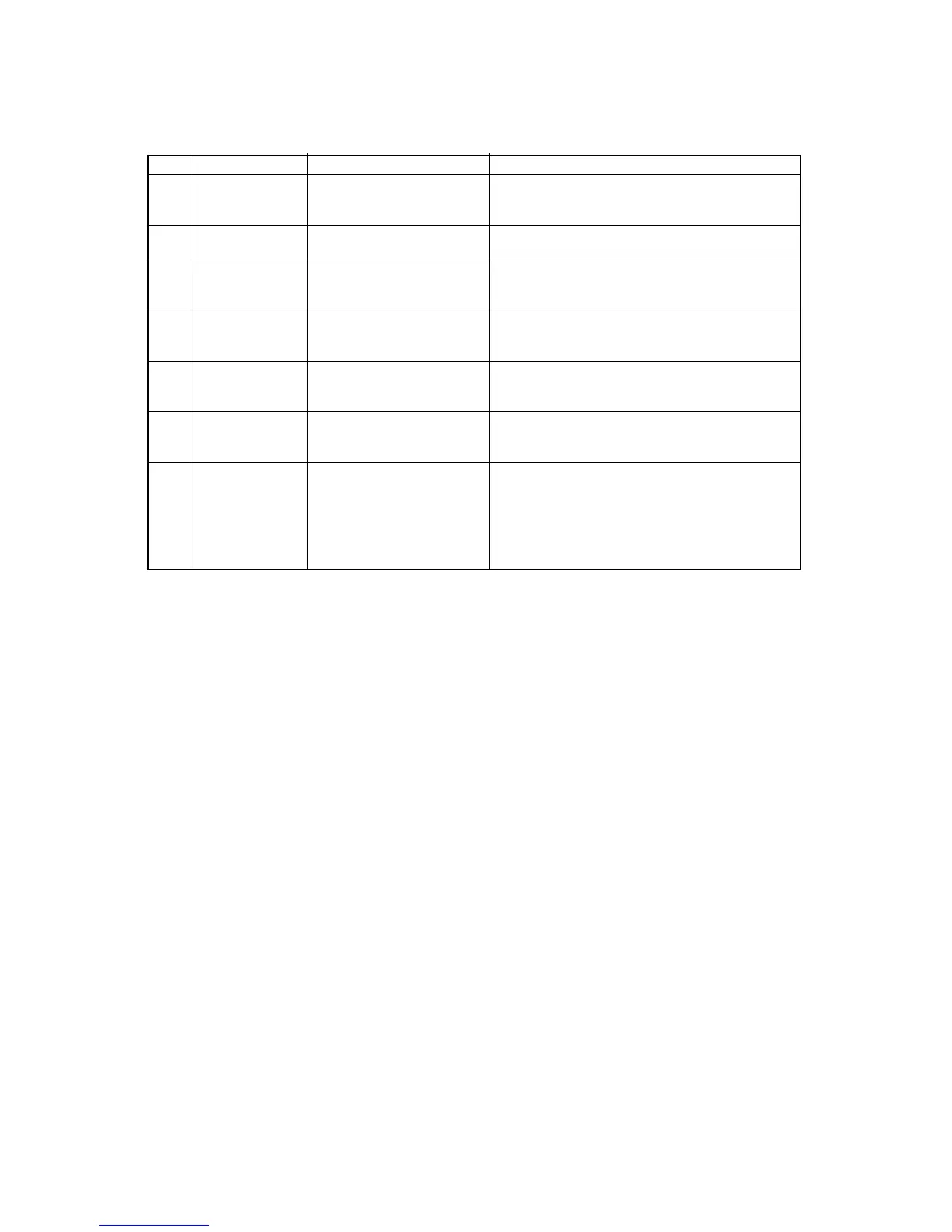
ITEM SYMBOL Hexadecimal Decimal FUNCTION
[74] ESC k n [1B,6B,n] H [27,107,n] D Selects NLQ font type.
n=0 : ROMAN is set.
n=1 : SANS SERIF is set.
[75] ESC l n [1B,6C,n] H [27,108,n] D Sets left margin at the nth horizontal space in the
current print mode (0≤n≤255).
[76] ESC p n [1B,70,n] H [27,112,n] D Sets or cancels proportional mode.
n=0 : the proportional mode is cancelled.
n=1 : the proportional mode is set.
[77] ESC s n [1B,73,n] H [27,115,n] D Sets or cancels half speed print mode.
n=0 : cancels half speed print mode.
n=1 : sets half speed print mode.
[78] ESC t n [1B,74,n] H [27,116,n] D Selects character set.
n=0 : the italic character set is selected.
n=1 : the graphic character set is selected.
[79] ESC w n [1B,77,n] H [27,119,n] D Sets or cancels double height character mode.
n=0 : the double height character mode is cancelled.
n=1 : the double height character mode is set.
[80] ESC x n [1B,78,n] H [27,120,n] D Selects character quality.
n=0 : draft character mode is set.
n=1 : NLQ character mode is set.
B. Control code summary (FX)


 To Next Page