83
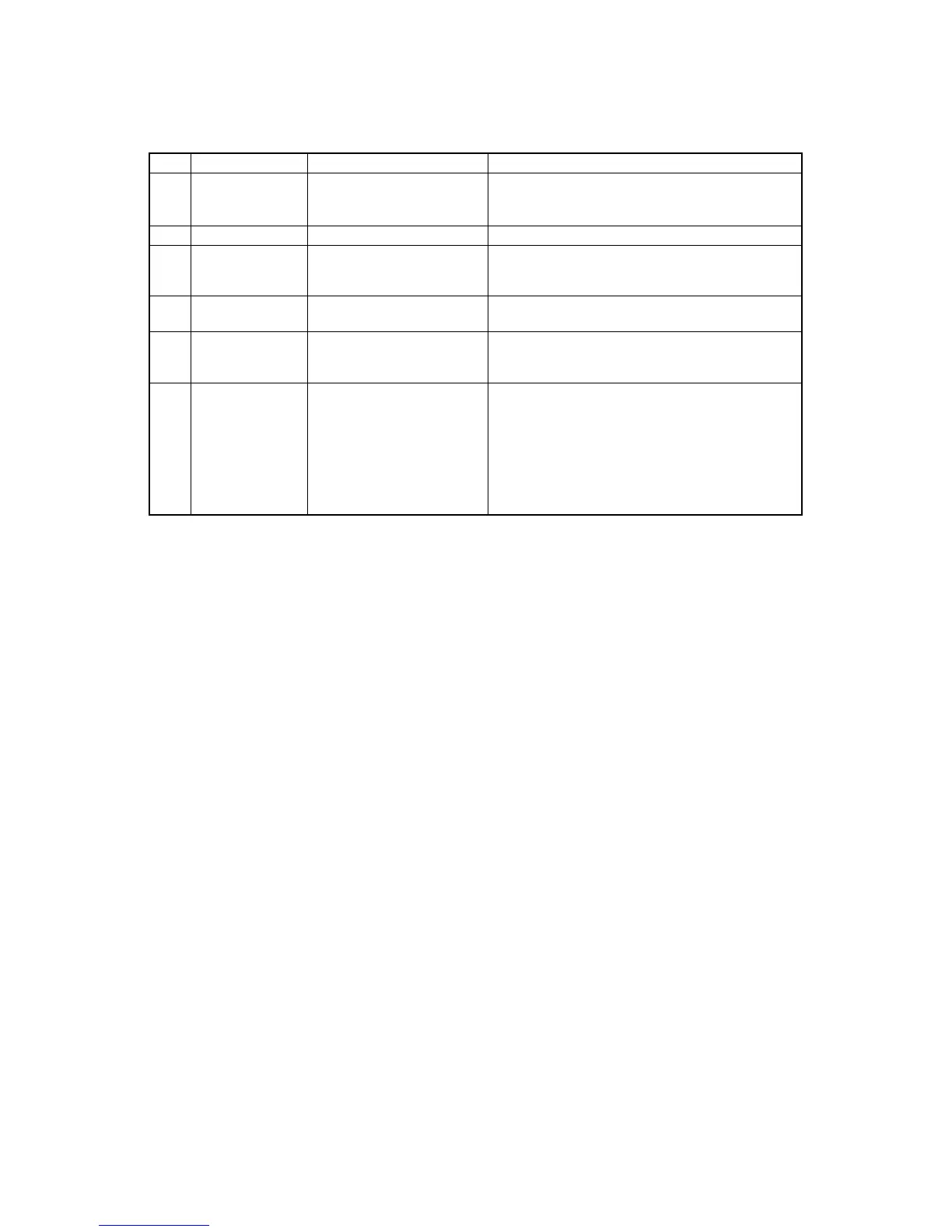
ITEM SYMBOL Hexadecimal Decimal FUNCTION
[61] ESC b c n1 n2 [1B,62,c,n1,n2,...,n64,00] H Sets vertical tab position in channels beginning from
...n64 NUL [27,98,c,n1,n2,...,n64,0] D n1 and end with NUL [00]H as in ESC B command.
c specifies one of channels 0 to 7 to be set.
[62] ESC g [1B,67] H [27,103] D Selects 15 cpi mode.
[63] ESC k n1 n2 [1B,6B,n1,n2,data] H Prints 8-pin high-density graphics (144 dpi).
data [27,107,n1,n2,data] D The total number of dots in the data is set by
n1 + n2
x
256.
[64] ESC l n [1B,6C,n] H [27,108,n] D Sets left margin at the nth horizontal space in the
current print mode (0≤n≤255).
[65] ESC p n [1B,70,n] H [27,112,n] D Sets or cancels proportional mode.
n=0 : the proportional mode is cancelled.
n=1 : the proportional mode is set.
[66] ESC x n [1B,78,n] H [27,120,n] D Selects character quality.
n=0 : draft character mode is set.
n=1 : NLQ character mode is set.
B. Control code summary (BP-A/I)


 To Next Page