-7-
4-B Installation Procedure (*The screens in the explanations below use Windows XP.)
(1) Check that the SR-430 is not connected.
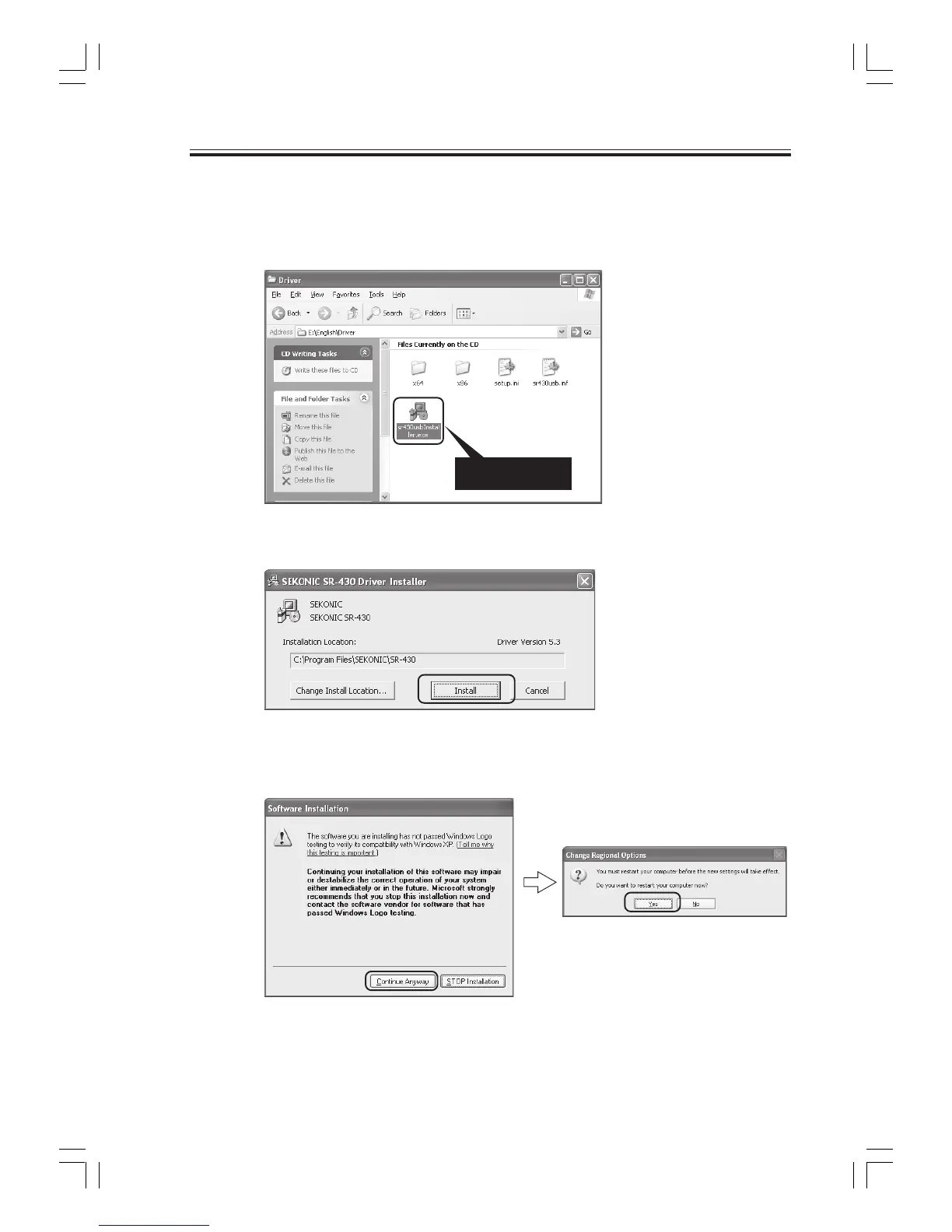
(2) Start Windows, load the "driver CD", and run the installer program "sr430usbInstaller.exe" on
the CD.
4.Installing the USB Driver
(3) Click the "Install" button.
(4) Click "Continue Anyway". After installation is completed, the program will ask you to restart
the computer for certain environments. Click "Yes" to restart the computer.
Double click



 To Next Page