-10-
4.Installing the USB Driver
4-C Checking the Assigned Port
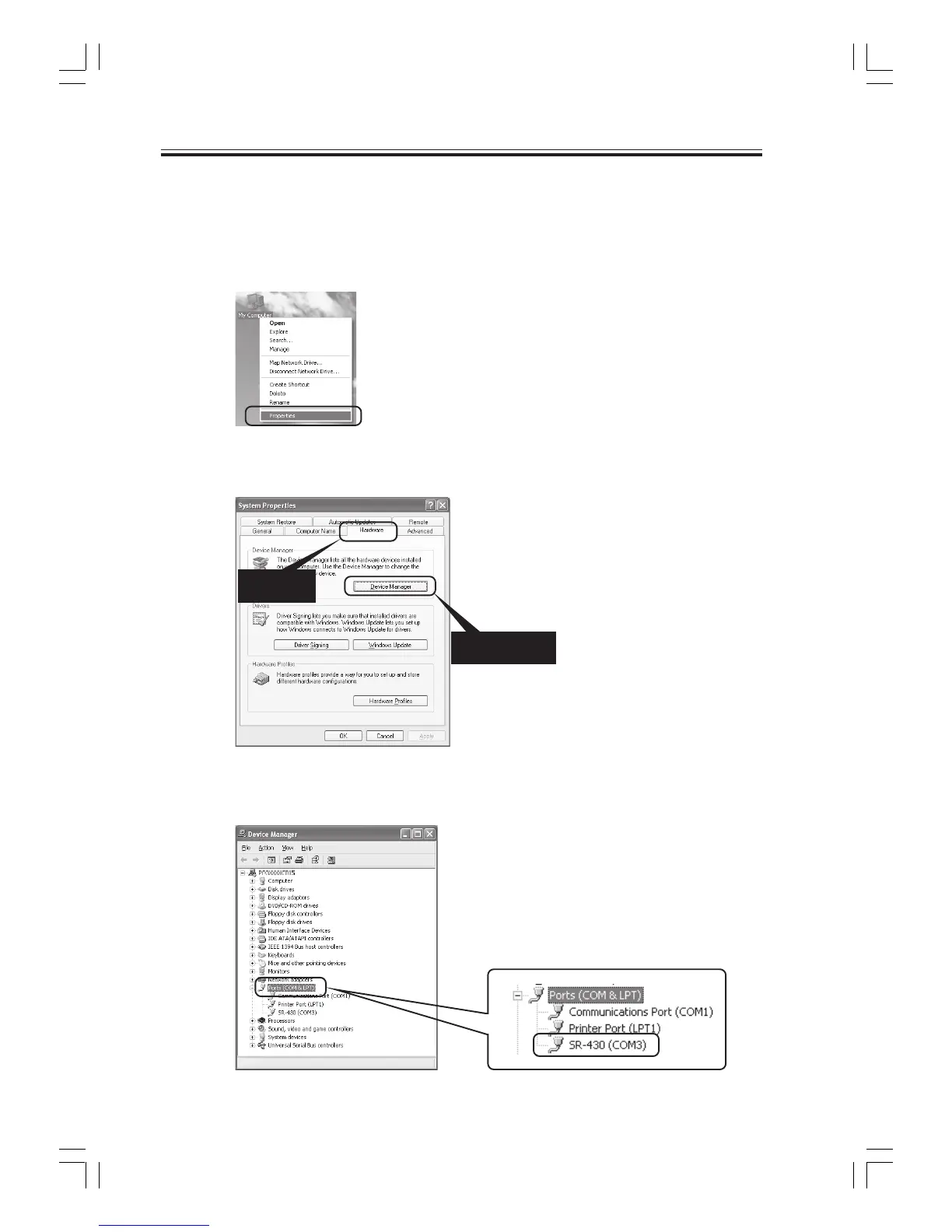
The COM port must be designated when using this software. After installing the USB driver, follow
the procedure below to check the port number assigned when using the USB interface.
(1) Right-click My Computer on the Desktop to open a pop-up menu, and click Properties.
1) Select
2) Click
(2) Select the "Hardware" tab, and click the Device Manager.
(3) Click Ports, and check the assigned port in parentheses for the "SR-430" entry.



 To Next Page