-9-
4.Installing the USB Driver
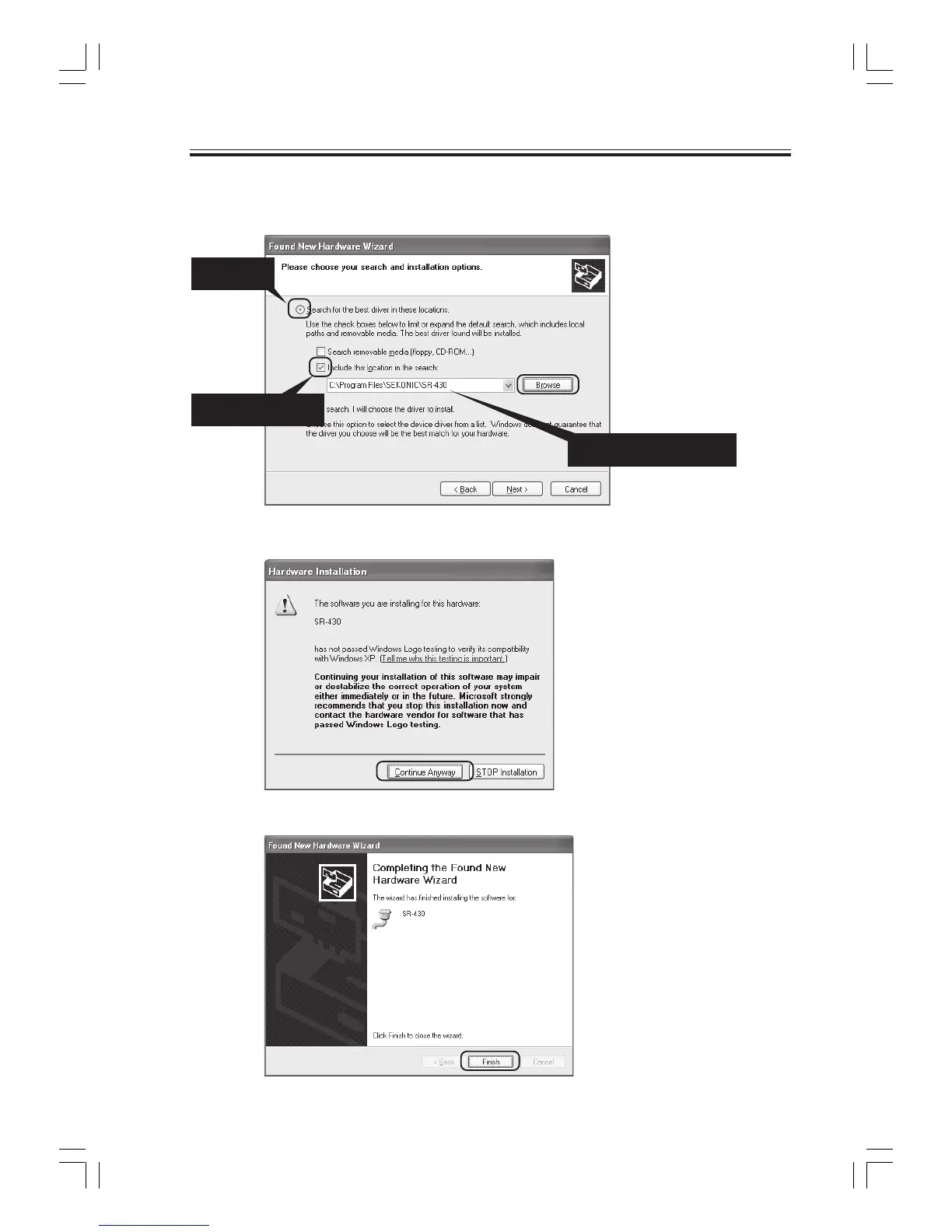
(8) Select "Search for the best driver in these locations", insert a check mark for "Include this
location in the search", and click the Browse button and select the "C:\Program Files\SEKONIC
\SR-430" folder.
(9) Click "Continue Anyway".
(10) Click "Finish" to complete the installation.
2) Add check mark
3) Select the folder
1) Select



 To Next Page