-11-
4-D Troubleshooting for Communication Errors
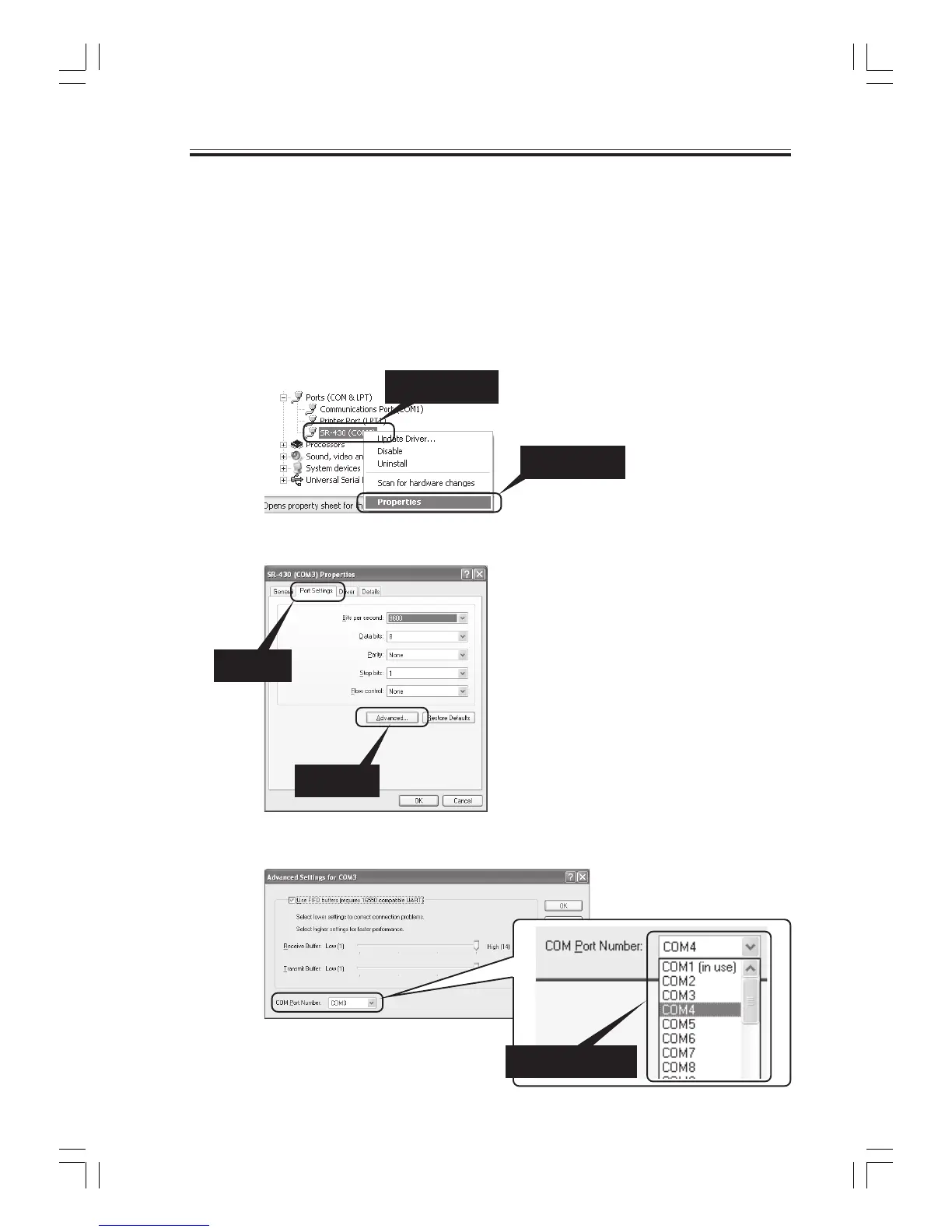
-1 Changing the Assigned Port
The assigned port can be changed if the port number assigned to the SR-430 cannot be recognized by
the software or when you want to use a specific port. The procedure for changing the port is de-
scribed below.
(1) Right-click the "SR-430" entry from the Device Manager screen (see section 4-C), and then
click Properties from the pop-up menu.
4.Installing the USB Driver
1) Select
2) Click
2) Click
1) Right click
1) Select the port
(2) Select the "Port Settings" tab, and then click Advanced.
(3) At "COM Port Number", select the port number that you want to change to.



 To Next Page