6
SEL-735 Quick-Start Guide Date Code 20131015
ACSELERATOR QuickSet SEL-5030 Software
D. Settings Editor
This section discusses how to read, modify, save, and send configuration settings within ACSELERATOR
QuickSet.
1. Toolbar and Icon Functions
ACSELERATOR QuickSet allows access to features through both menus and icons. This document
describes how to access features using the menu structure. Figure 7 illustrates the icon functions in the
ACSELERATOR QuickSet toolbar.
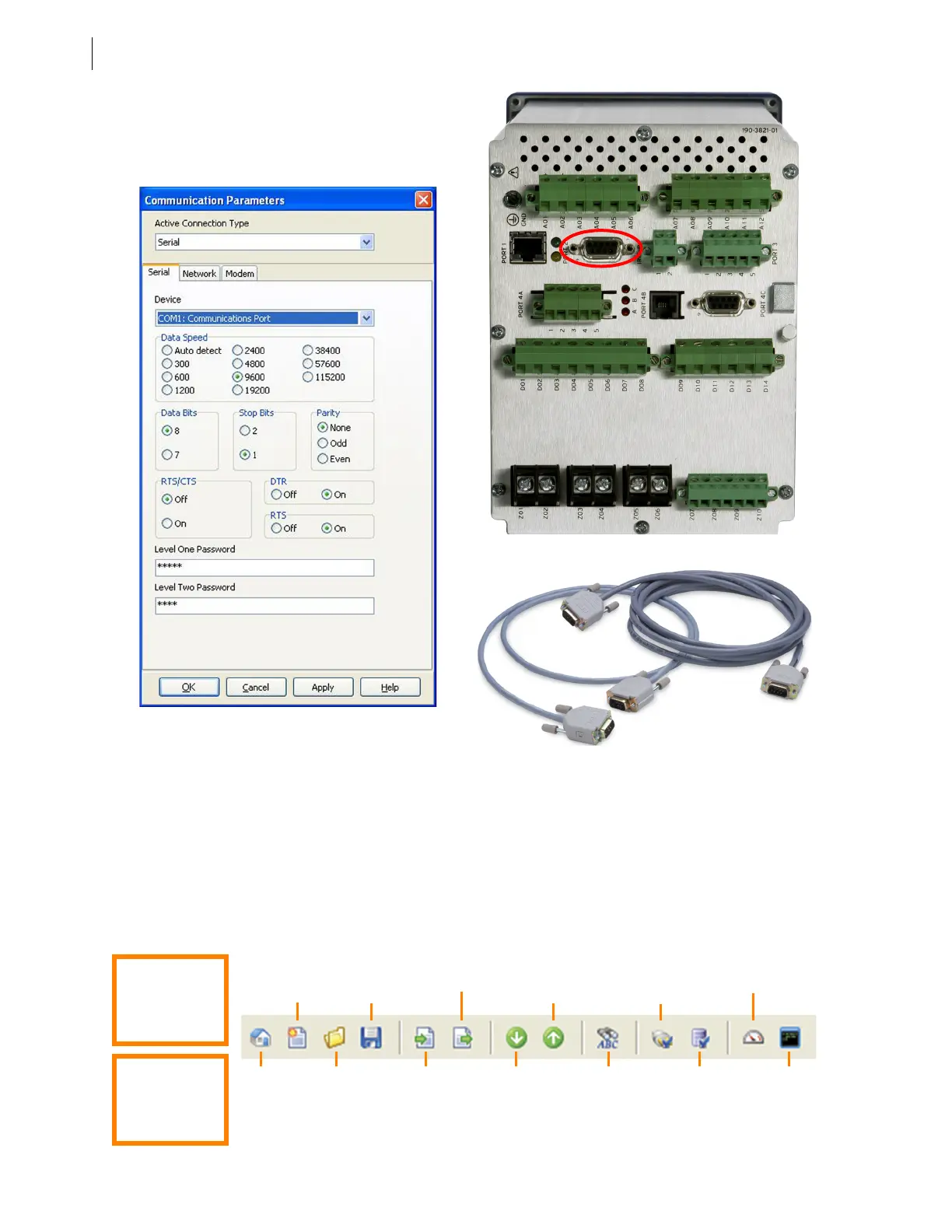
To access the communications parameters in
ACSELERATOR QuickSet, select Communications
> Parameters. Figure 4 shows the default serial
port parameters for the SEL-735.
Figure 4 Default Communications Parameters
Figure 5 SEL-735 Serial Port 2
Figure 6 Cables for the SEL-735
Figure 7 Icon Functions
Quick Tip:
Hover over icons
to view the title
and function.
Quick Tip:
Press F1 in
AC
SEL
ERATOR
for help.
New
settings
editor
(Ctrl+N)
Back up
one settings
screen
Send active
settings
Communications
Port
Parameters
Human-machine
interface
Save
settings to
database
(Ctrl+S)
Getting
started
with
QuickSet
Open
settings
(Ctrl+O)
Read
settings
from device
Go to next
settings
screen
Search for a
setting or
element
(Ctrl+F)
Database
manager
Ter mi nal
(Ctrl+T)


 To Next Page