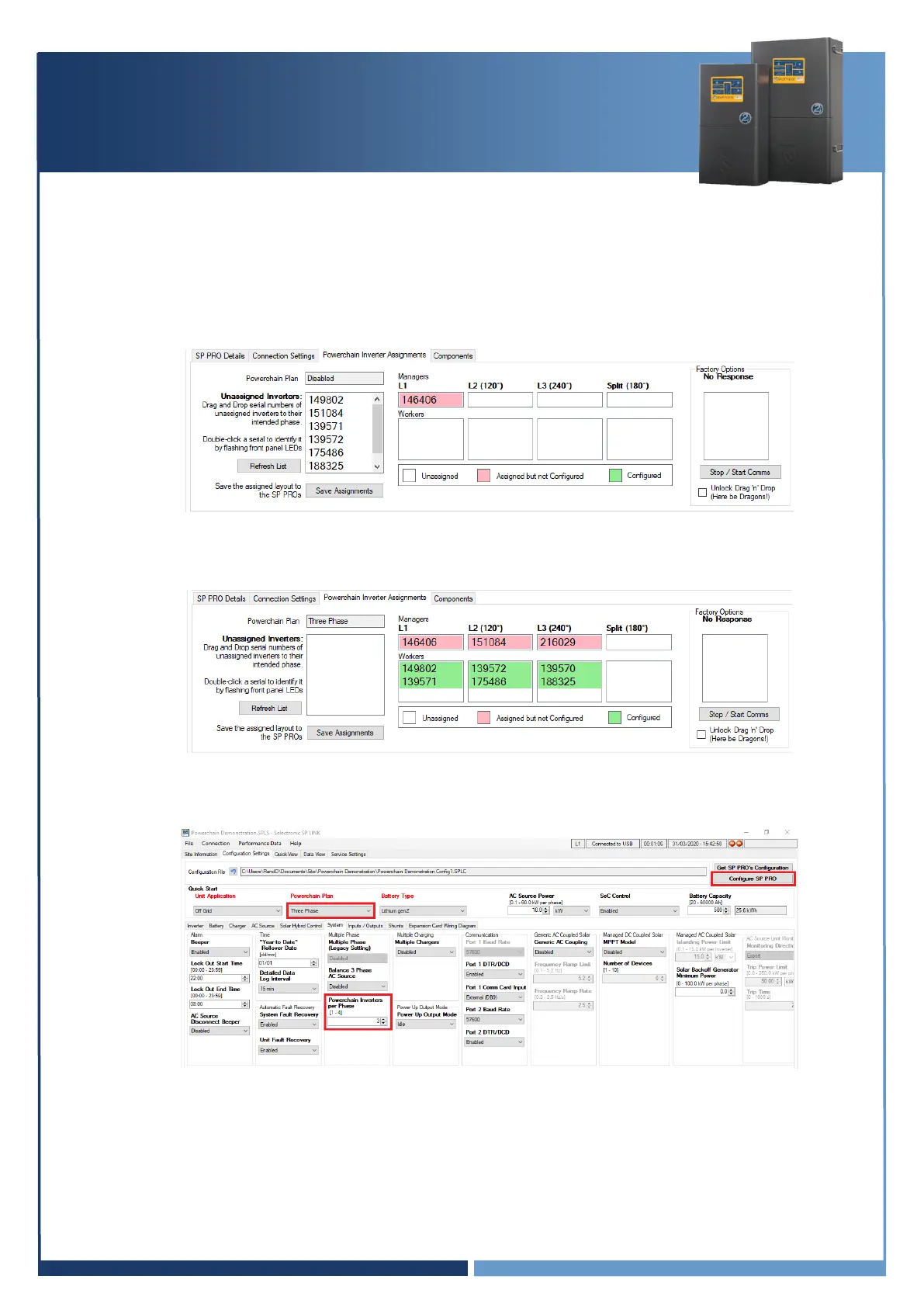
6. Go to the Powerchain Inverter Assignments tab. Drag and drop the serial numbers of the
Unassigned Inverters box into L2 or L3 Managers or L1, L2 and L3 Workers as appropriate.
Hint: To identify an SP PRO, double click on a serial number and the battery LEDs on the associated
SP PRO will flash RED for 3 seconds.
7. Once all SP PROs are assigned, click “Save Assignments”. The default settings passcode is 74.
8. At the Configuration Settings tab, click the “Configure SP PRO” button.
SP PRO Powerchain Configuration is now complete



 To Next Page