Operation of the SP PRO
Once the SP PROs are installed and configured correctly, the system is controlled by the System
Manager (the first SP PRO on L1). All other SP PROs will follow the operational mode of the System
Manager automatically.
Start-up
• Turn on the Battery Sense / Pre-charge isolator (See Fig 3). Wait until the SP PROs turn on.
• Turn on the Battery Isolator
Note: All buttons and battery LEDs are disabled on the Phase Managers and the Workers.
1. After the SP PRO has powered up and the front panel LEDs are stable.
2. Connect to the System Manager via SP LINK.
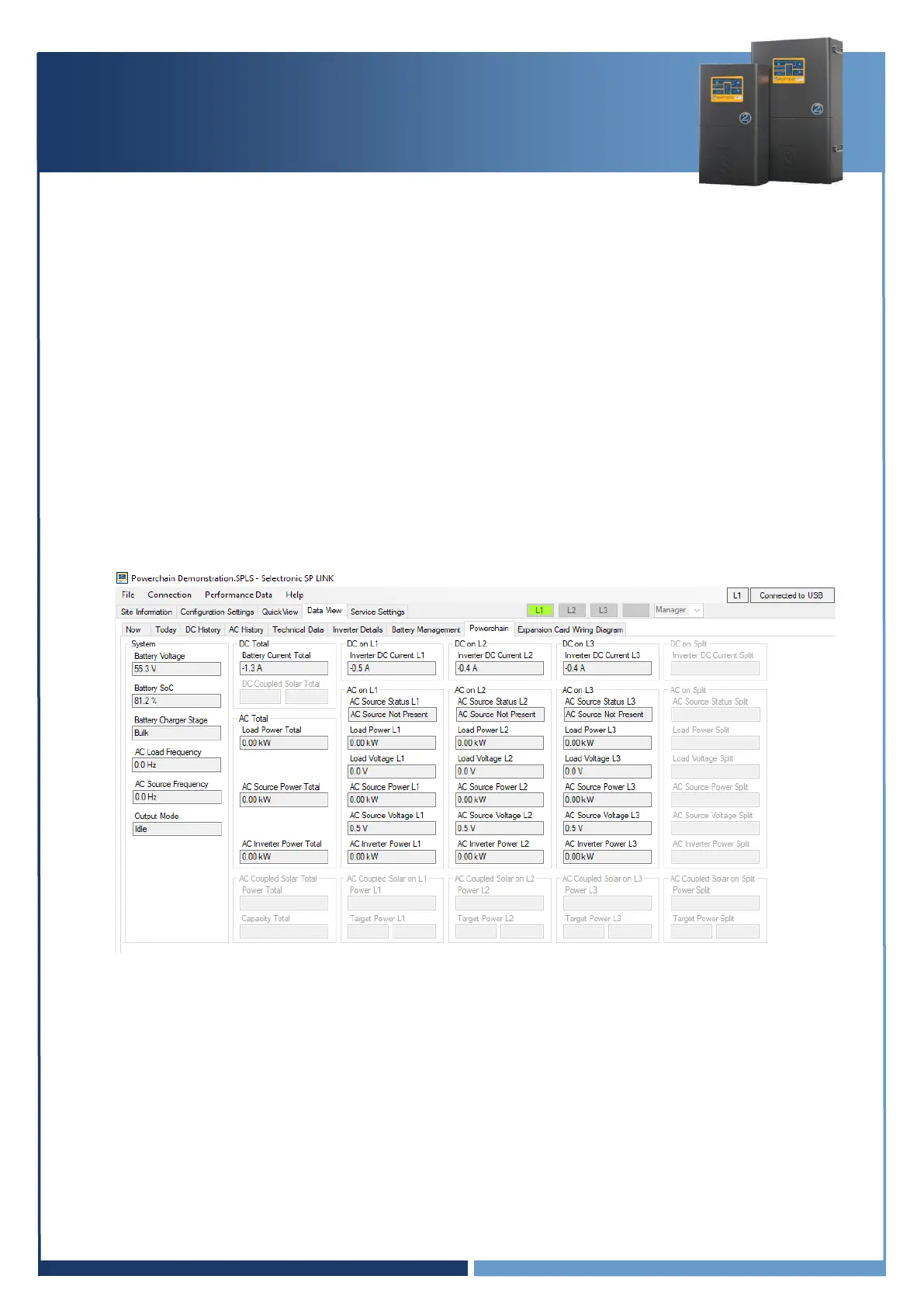
3. In SP LINK navigate to “Data view > Powerchain”. Verify that all the real time readings from
each of the phases is correct.



 To Next Page