Update Firmware
1. Install the latest version of SP LINK on your computer. Start Selectronic SP LINK.
2. Make sure all of the SP PROs in the Powerchain are connected via the Sync lead.
3. Apply battery power to all of the SP PROs in the Powerchain.
4. Connect the SP LINK PC to the System Manager via a USB lead.
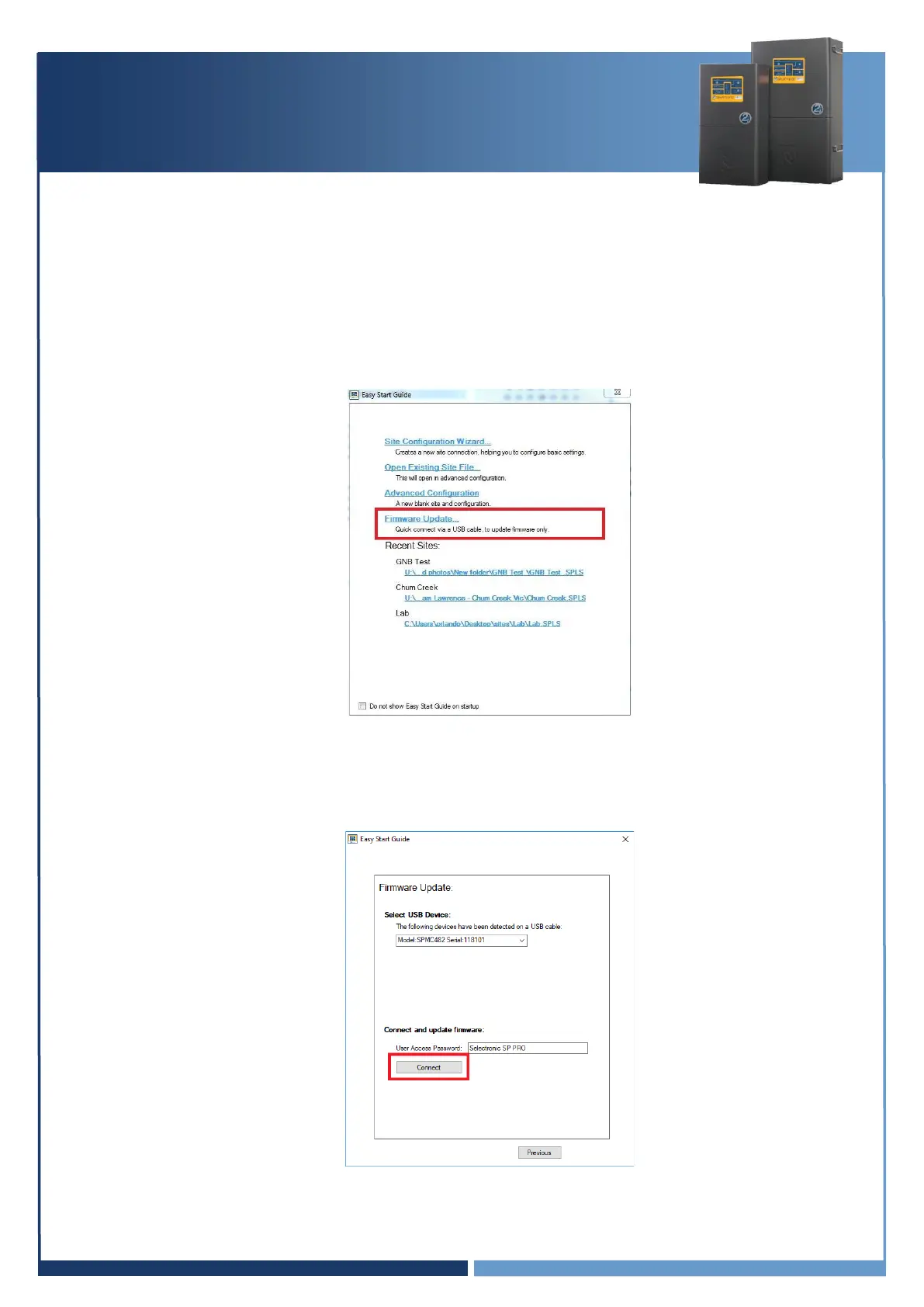
5. In the Easy Start Guide, select “Firmware Update…”.
6. The Easy Start Guide will automatically detect when the SP PRO is ON and USB cable is plugged
into the SP PRO and computer. Click “Connect” to start the Firmware Update process.



 To Next Page