ENGLISH
Contents
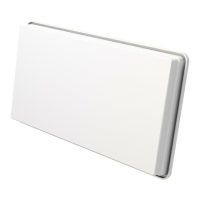
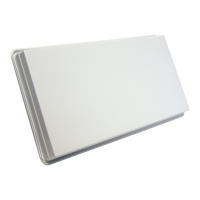
What is SELFSAT-H22dCSS+ flat antenna?
........................................
2
Safety instruction
....................................................................................
Contents
...................................................................................................
How to install?
.........................................................................................
Step 1 : Where to install?
Step 2 : Check information
Step 3 : Part assembly
Step 4 : SELFSAT-H22dCSS+ installation fix bracket
Step 5 : SELFSAT-H22dCSS+ installation and how to use
|
|
|
|
|
1) Fix skew - Joint angle bracket (B1) and antenna body (A1)
2) Fix elevation - Joint antenna body (A1) and main support (B2)
1) Table stand type (on a horizontal plain)
2) Wall mounting type
3) Window type
4) Clamp on balcony type
1) Connect SELFSAT-H22dCSS+ antenna to the STB
2) How to connect the cable to the antenna and the STB
3) Satellite searching and fixing the antenna
.....................................................................................
..................................................................................
.......................................................................................
5
5
.........................................
.....................................
........................................................
..............................................................
...................................................................................
..........................................................................................
.................................................................................
.....................................................
..................................................
...............................................
............................................................
..........................................................................................
. . . . . . . . . . . . . . . . . . . . . . . . . . . . . . . . . . . . . . . . . . . . . . . . . . . . . . . . . . . . . . . . . . . . . . . . . . . . . . . . . . . . . . . . . .
...............................................................................
. . . . . . . . . . . . . . . . . . . . . . . . . . . . . . . . . . . . . . . . . . . . . . . . . . . . . . . . . . . . . . . . . . . . . . . . . . . . . . .
6
6
6
7
7
7
8
8
9
9
10
11
Troubleshooting
Signal loss / Rain fade
13
13


 To Next Page