Install Holster
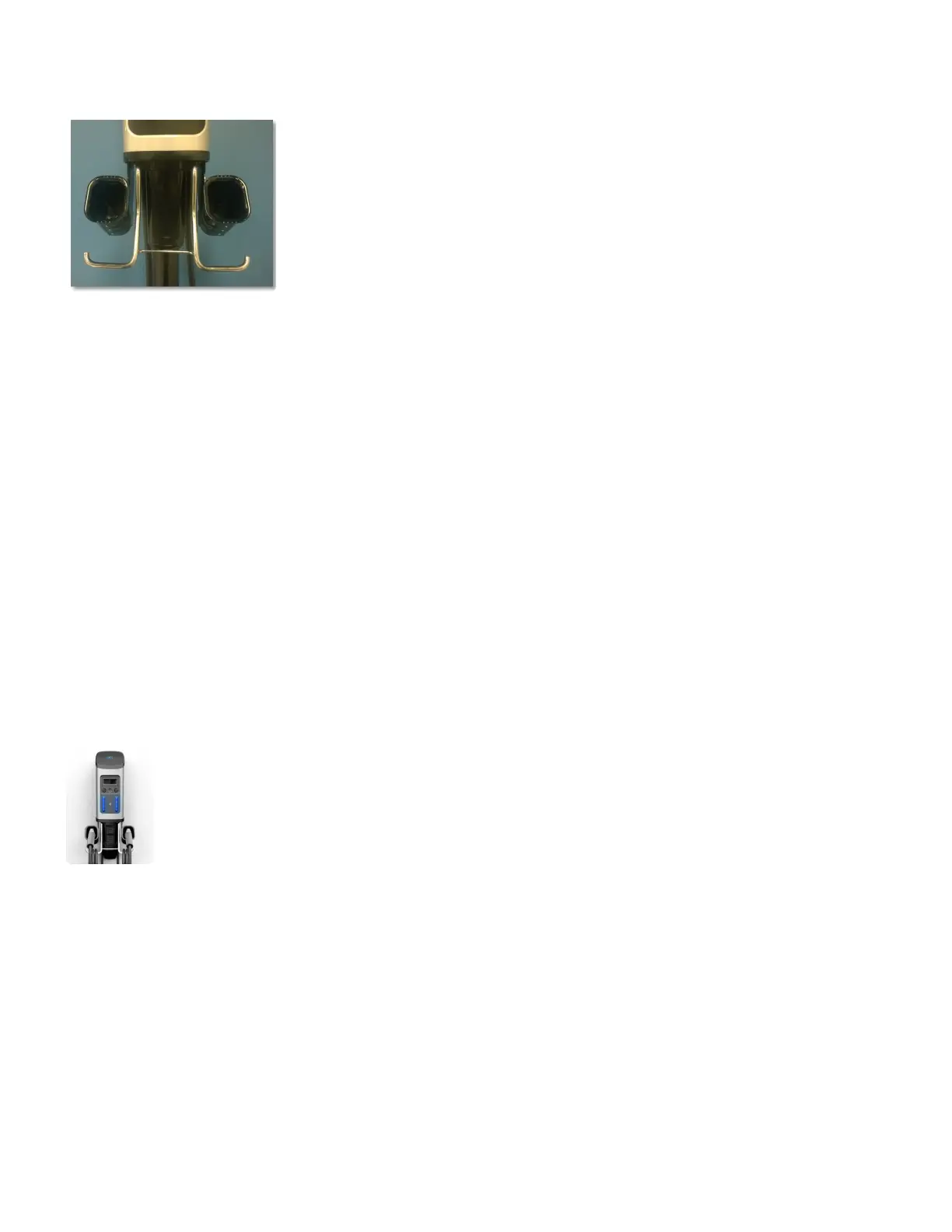
Attach the holster to the Head unit using the four (4) screws (2 for each side).
• Mounting points are located right next to cable rack, at the bottom of the charging stations
After tightening screws, check that the Holster is secure and is firmly attached to the Head Unit
Cleaning the Device
The device may be cleaned by following the instructions below:
• Use clean, soft cloth along with mild detergent to wash the dirt off.
• Do not use high pressure water. Pour water gently from the top and use a wet/dry cloth to clean all
the sides.
• Never use strong detergents or any other chemicals (Acids, petrol, thinner or any other solvent.)
• Do not exert too much of pressure on the device while cleaning.
• Do not open the device.
• Do not use a vacuum cleaner.
Power Up!
To power up, flip the breakers.
Call (800) 663-5633 to complete installation. Please have the station serial number ready with you. If you
do not have it, you can find it on left hand side of the station.
Installation Manuals Series 7 / 7 Plus EV Charging Station - 1
Copyright ©2021 SemaConnect, Inc. All rights reserved. Page 26 of 26


 To Previous Page