!
pg. 17
!
3) Install Wall/Pole Mount Bracket
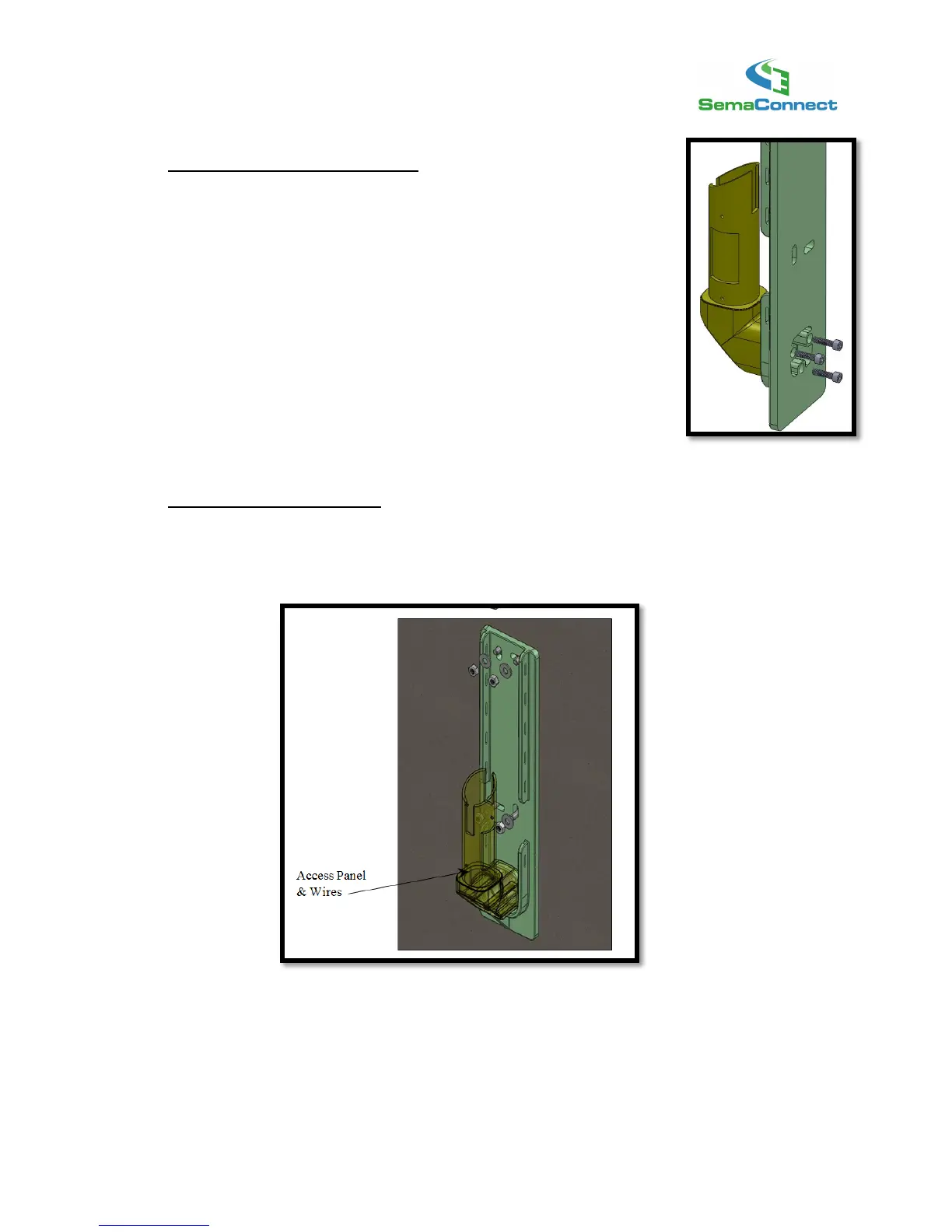
Prepare the Wall/Pole Mount Bracket
First, prepare the wall bracket to be bolted on to the wall.
Firmly attach the Wall/Pole Mount Bracket Plate to the Wall/Pole Mount
Bracket Post using the Wall/Pole Mount Post screws (3ea). Make sure
that the Post is securely attached to the Wall Mount Plate.
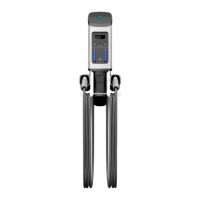
Mount the Bracket on the Bolts
Now hang the Wall/Pole Mount Bracket on the anchor bolts embedded in the wall, while carefully
running the wires through the Post. Ensure the wires run all the way to the access panel opening.
Finish attaching bracket by securing nuts on bolts with washers.
!



 To Next Page