!
pg. 11
!
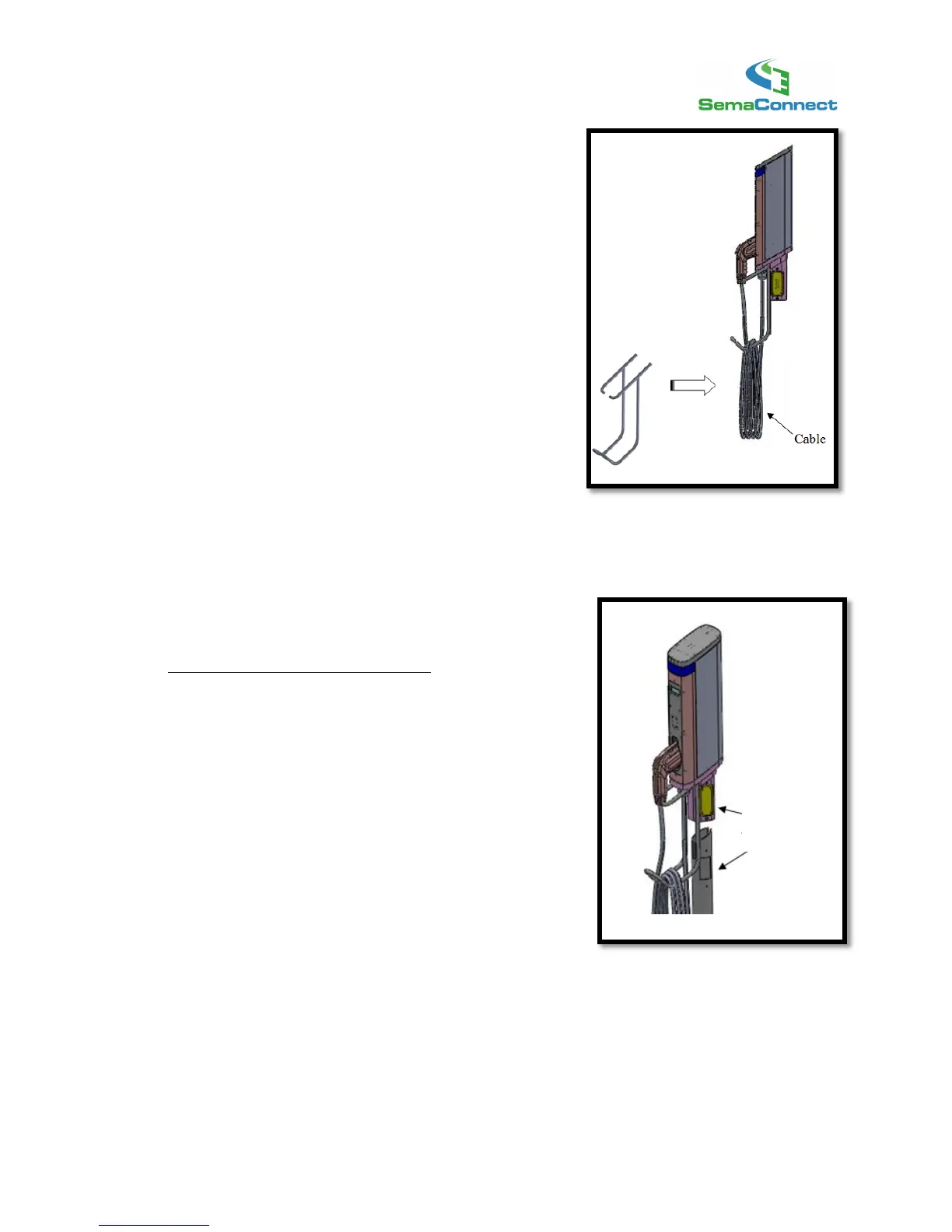
4) Attach Cable Rack
Attach the Cable Rack to the underside of the Charging
Station Head Unit (see diagram) using the four (4) Cable
Rack screws.
After tightening screws, check that the Cable Rack is
secure and is firmly attached to the Head Unit.
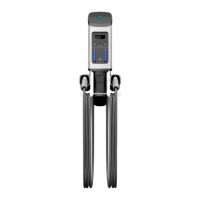
5) Install Charging Station Head Unit
Mount the Charging Station Head Unit
Carefully insert the charging station head unit on top of the
pedestal as shown in the illustration.
Align the access panel cut-outs on the Pedestal Unit and
Head Unit.



 To Next Page