5R LITE Motorcycle Bluetooth
®
Communication System | 27
7 BLUETOOTH INTERCOM
4. Tap Save and check that your friend (B) is paired with you (A)
correctly.
5. Tap Scan (
) and repeat steps 3-4 to pair with Intercom Friends (C)
and (D).
Note: The Smart Intercom Pairing (SIP) is not compatible with Sena
products that use Bluetooth 3.0 or below.
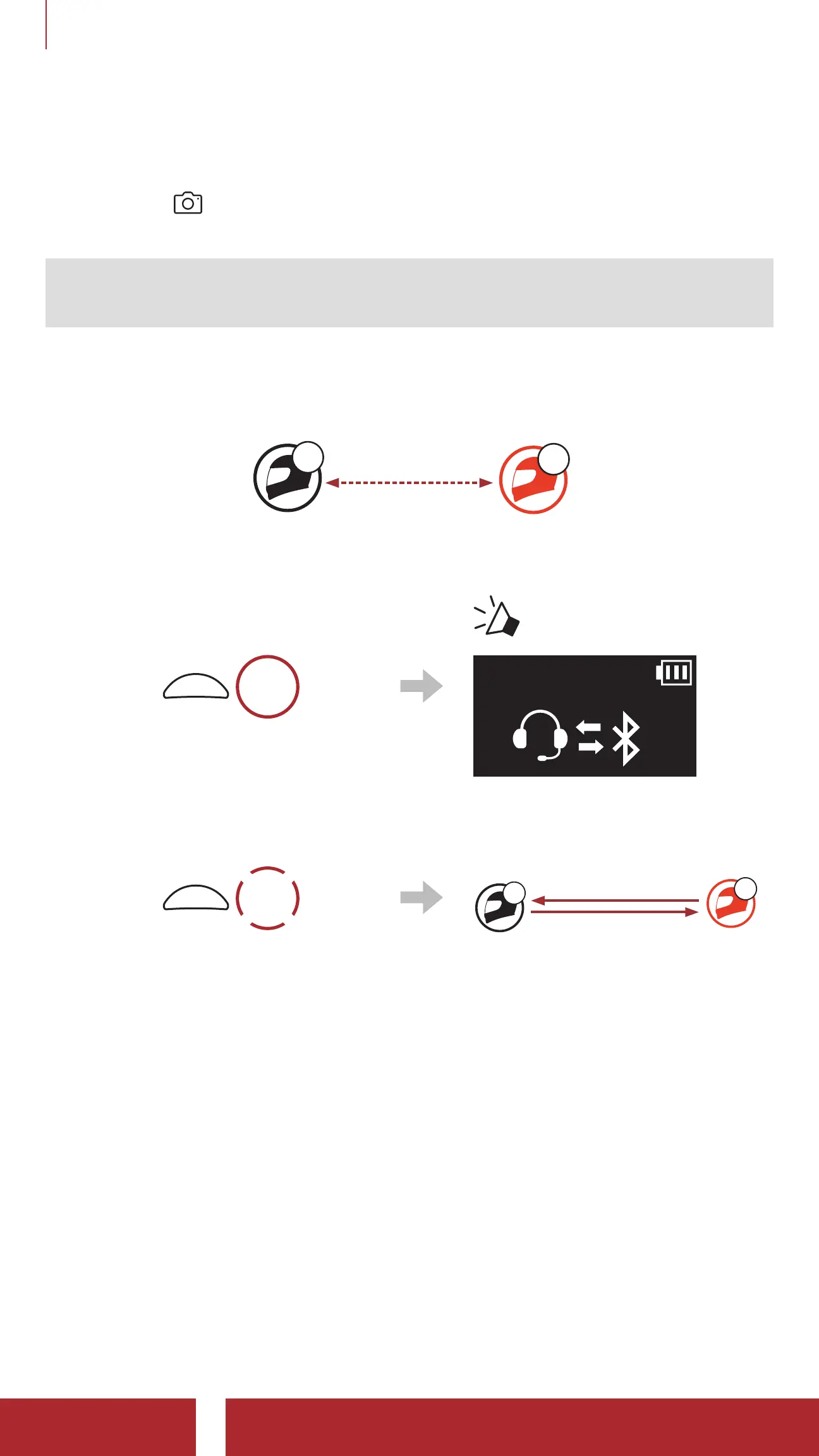
7.1. 2 Using the Button
YOU
B
A
1. Users (You, B) enter into Intercom Pairing.
5s
HOLD
“ Intercom pairing”
2. Tap the Multi-function Button on either headset.
1x
TAP
Confirms intercoms are paired
A
B
YOU
3. Repeat the steps above to pair with other headsets (C and D).



 To Next Page