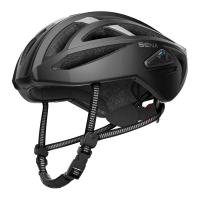
R2 Smart Road Cycling Helmet | 34
11 CONFIGURATION SETTING
11.2.1 Unit Language
You can select the device language. The selected language is
maintained even when the Bluetooth system is rebooted.
11.2.2 Voice Prompt (Default: Enable)
You can disable voice prompts by software configuration settings, but
the following voice prompts are always on.
- Bluetooth system configuration settings menu, battery level indicator
11.2.3 Sidetone (Default: Disable)
Sidetone is audible feedback of your own voice. It helps you to naturally
speak at the correct level according to varying helmet noise conditions.
If this feature is enabled, you can hear what you are speaking during an
intercom conversation or a phone call.
11.2.4 Advanced Noise Control™ (Always on)
The background noise is reduced during an intercom conversation.


 To Next Page