10 EN
EN
06/2016
2016
Device description
3. Device description
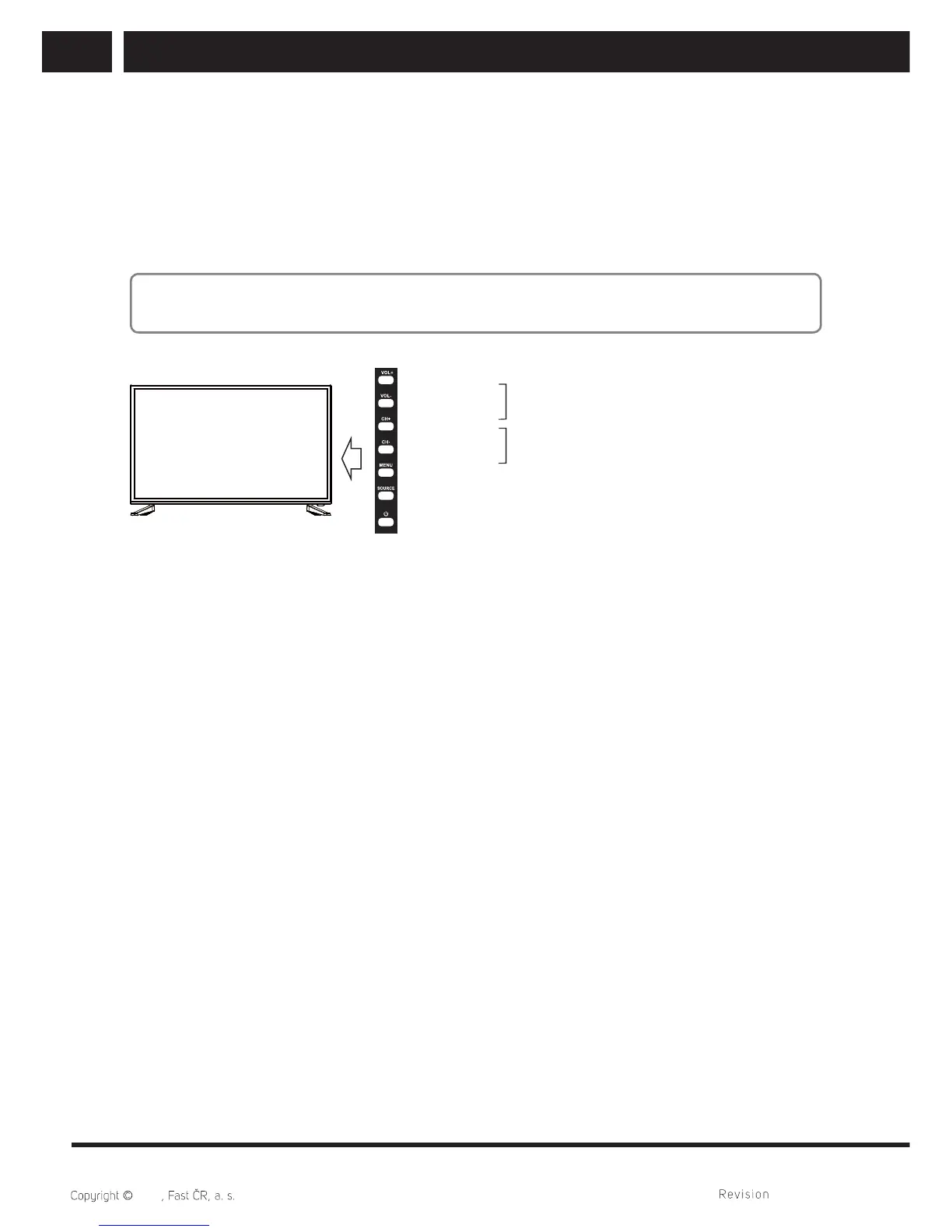
3.1. Control panel button function
The buttons on the lower-right panel control your TV´s basic features, including the
on-screen menu. To use the more advanced features, you should use the remote control.
Note:
Pictures are only for illustration.
1. Turn on/off
2. VOL-
3. VOL+
4. CH-
5. CH+
6. MENU: into or exit from the menu (use CH+/-
buttons to select item, use VOL+/- buttons to
adjust items)
7. SOURCE: source select
VOL+/-: adjust volume
CH+/-: channel select
3.2. TV terminal connections
1. VGA: connect to the video output jack on your pc
2. PC AUDIO: connect to the audio output jack on your PC
3. SCART: SCART input
4. RF: connect to an antenna or cable TV system
5. HDMI1: connect to the HDMI1 jack of a device with and HDMI output
6. HDMI2: connect to the HDMI2 jack of a device with and HDMI output
7. HDMI3: connect to the HDMI3 jack of a device with and HDMI output
8. COAX: connect coaxial out
9. MINI AV
10. MINI YPbPr
11. CI: CI input
12. USB: connect to USB fl ash drive to play supported multimedia content
13. EARPHONE OUT: audio output for external devices



 To Next Page