34 EN
EN
06/2016
2016
Menu
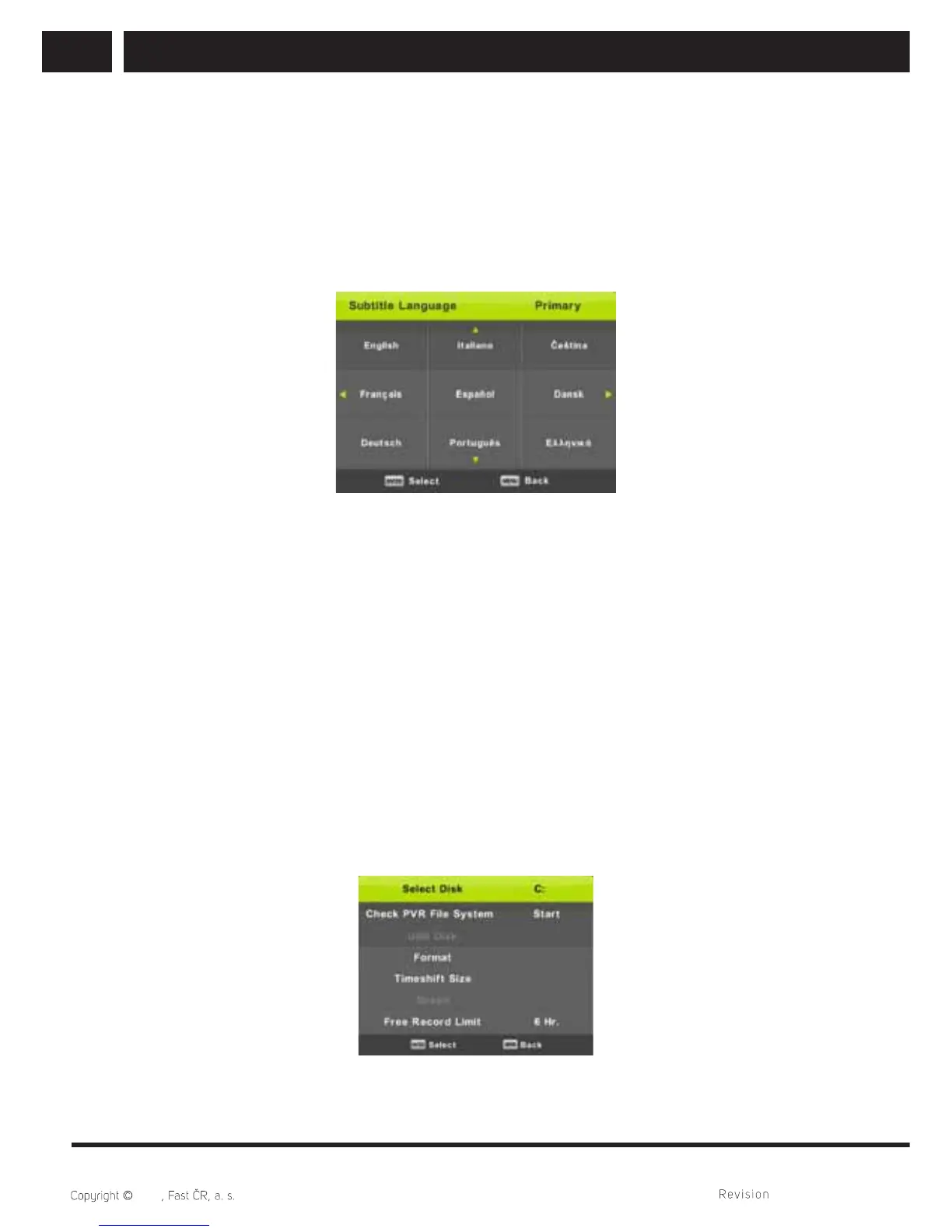
6.7.4. Subtitle Language
Press / button to select Subtitle Language, then press Enter button to enter sub-
menu. It serves to automatically select a certain language if this is available. You can
select 2 languages – fi rst and second. If the desired language is not available, the system
will select a language of the broadcaster.
Press / button to select the primary of Subtitle Language.
Press / / / button to select the Subtitle Language.
6.7.5. Hearing Impaired
Press / button to select Hearing Impaired, then press Enter button to select On or
Off. It depends on the channel broadcasting.
6.7.6. PVR File System
This option is used to set up recording of the digital broadcasting to your USB fl ash
memory. Due to the data size coming from the digital broadcasting, the setting is more
detailed.
Press / button to select PVR File System, then press Enter button to enter sub-menu.
Press / button to select Check PVR File System, then press Enter button to enter.
Then it will check the USB speed. The result shows what best broadcasting is available
for your USB fl ash memory. In case of unsatisfactory result, format the device in the TV
which will try to better adapt the USB device to record the digital broadcasting. Select
lower values to limit the fi le size and recording. Higher values quickly increase demands
on your memory stick, both in size and particularly speed.



 To Next Page