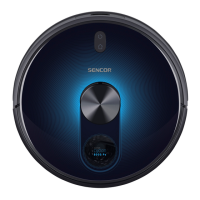
Robotic vacuum cleaner
SRV 1000SL
EN
EN-13
2019 01/2019
TROUBLESHOOTING TABLE
PROBLEMA POSSIBLE CAUSE SOLUTION
The vacuum cleaner cannot be
turned on.
■
The battery is not inserted correctly
in the robotic vacuum cleaner.
■
Insert the battery according to the
instructions in this user'smanual.
■ The battery is flat.
■
Charge the battery according to the
instructions in this user’smanual.
The vacuum cleaner is on, but it
is not vacuuming dust and dirt.
■ The dust container is full. ■ Empty the dust container.
■
The dust filter is not properly
installed in the dust container.
■ Properly install the dust filter into the
dust container.
After turning it on, the indicator
is lit red.
■ Low battery voltage. ■ Charge the battery.
■
The vacuum cleaner is lifted off
the floor.
■
Place the vacuum cleaner back on
the floor.
The vacuum cleaner travels only
backwards when it is turned on.
■
The vacuum cleaner was placed on
afloor that is too dark.
■
Move the vacuum cleaner to alighter-
coloured floor and start it again.
■ An anti-fall sensor is dirty. ■ Clean the anti-fall sensors.
The rotary brushes are deformed
and do not sweep up dust and
dirt.
■ The brushes are worn out.
■
Dip them in warm water to renew their
original shape.
■ Contact the vendor or service centre
and order new brushes.
The indicator is constantly
lit blue even after 3 hours of
recharging.
■
Most likely, there was a power
outage during the recharging
process.
■
Despite this, the vacuum cleaner is
fully functional and it can be put back
into operation after it is disconnected
from the power socket.
■ In the event that the robotic vacuum cleaner stops and you are unable to put it back into operation, try turning
the power button A3 off and then on again. If the problem persists, please contact an authorised service centre.


 To Next Page