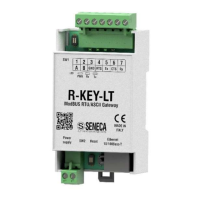
The factory configuration resets all parameters to default.
To reset the device to the factory configuration it is necessary to follow the procedure below:
Z-KEY-I / Z-KEY-2ETH-I:
1) Remove power from the device
2) Turn dip switches 1 and 2 to ON
3) Power up the device and wait at least 10 seconds
4) Remove power from the device
5) Turn dip switches 1 and 2 to OFF
6) At the next restart the device will have loaded the factory configuration
R-KEY-LT-I:
1) Remove power from the device
2) Set dip switches 1 and 2 of SW2 to ON
3) Power up the device and wait at least 10 seconds
4) Remove power from the device
5) Turn 2 SW2 dip switches to OFF.
6) At the next restart the device will have loaded the factory configuration


 To Previous Page