CHANGING PROTOCOLS WITH THE SENECA DISCOVERY DEVICE SOFTWARE
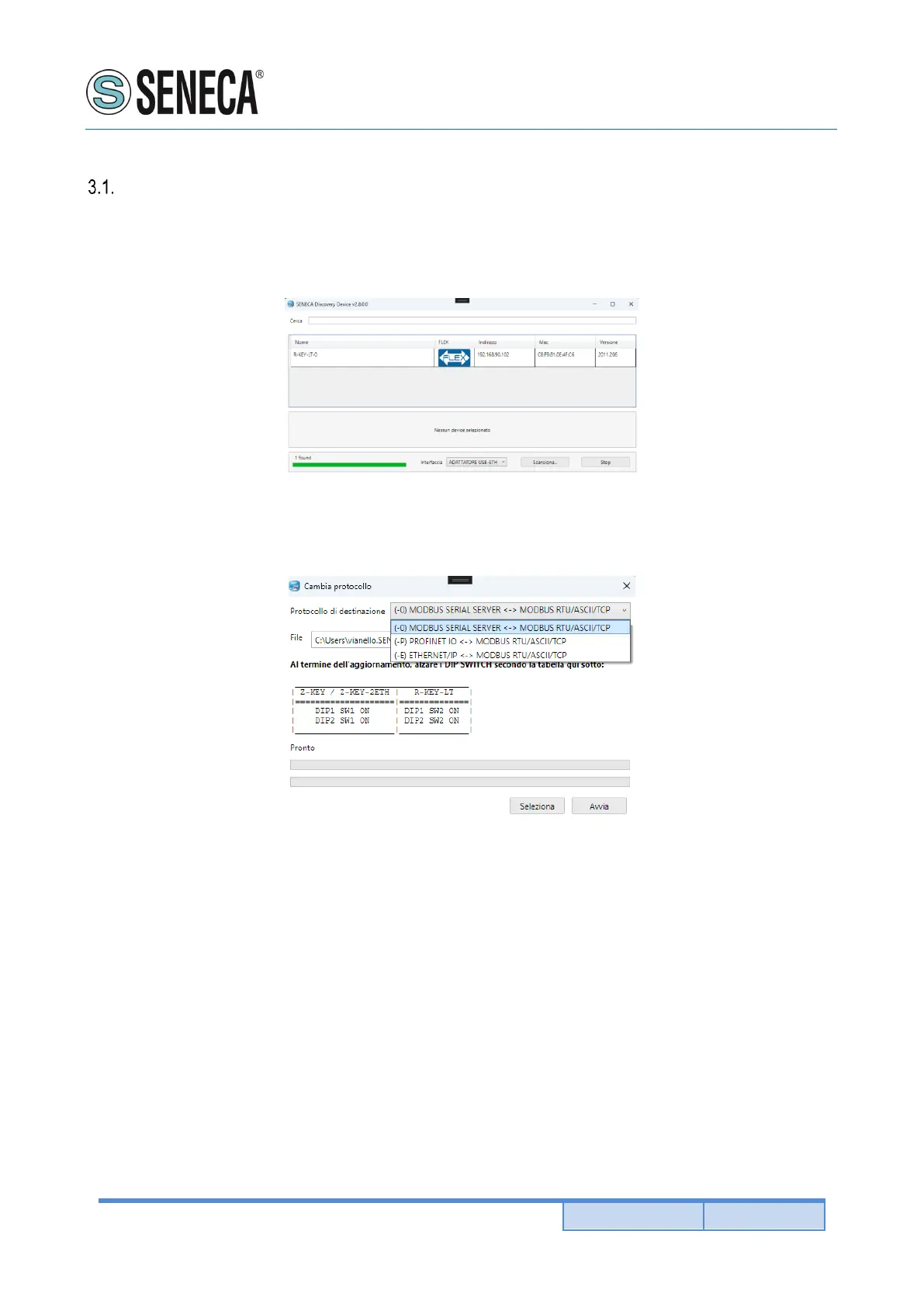
From revision 2.8 the Seneca Discovery Device software identifies the devices that support the “Flex”
technology:
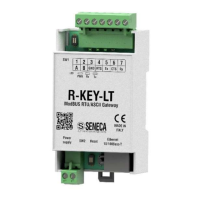
For example, in the case in the figure it is possible to press the “Change Protocol” button and select the
destination protocol from those in the list:
At the end of the operation, bring (only at the first power-on) the dip switches 1 and 2 to “ON” to force the device
to default (see also the chapter “RESETTING THE DEVICE TO ITS FACTORY CONFIGURATION”).
Always refer to the user manual of the communication protocol installed in the device by downloading it from the
Seneca website.


 To Next Page