Adjustment tips and functions
39
Selecting a channel
and assigning this
channel a receiving
frequency
왘 Set the desired channel.
왘 Set the desired frequency.
Changing the settings of the guitar tuner
The following settings are available:
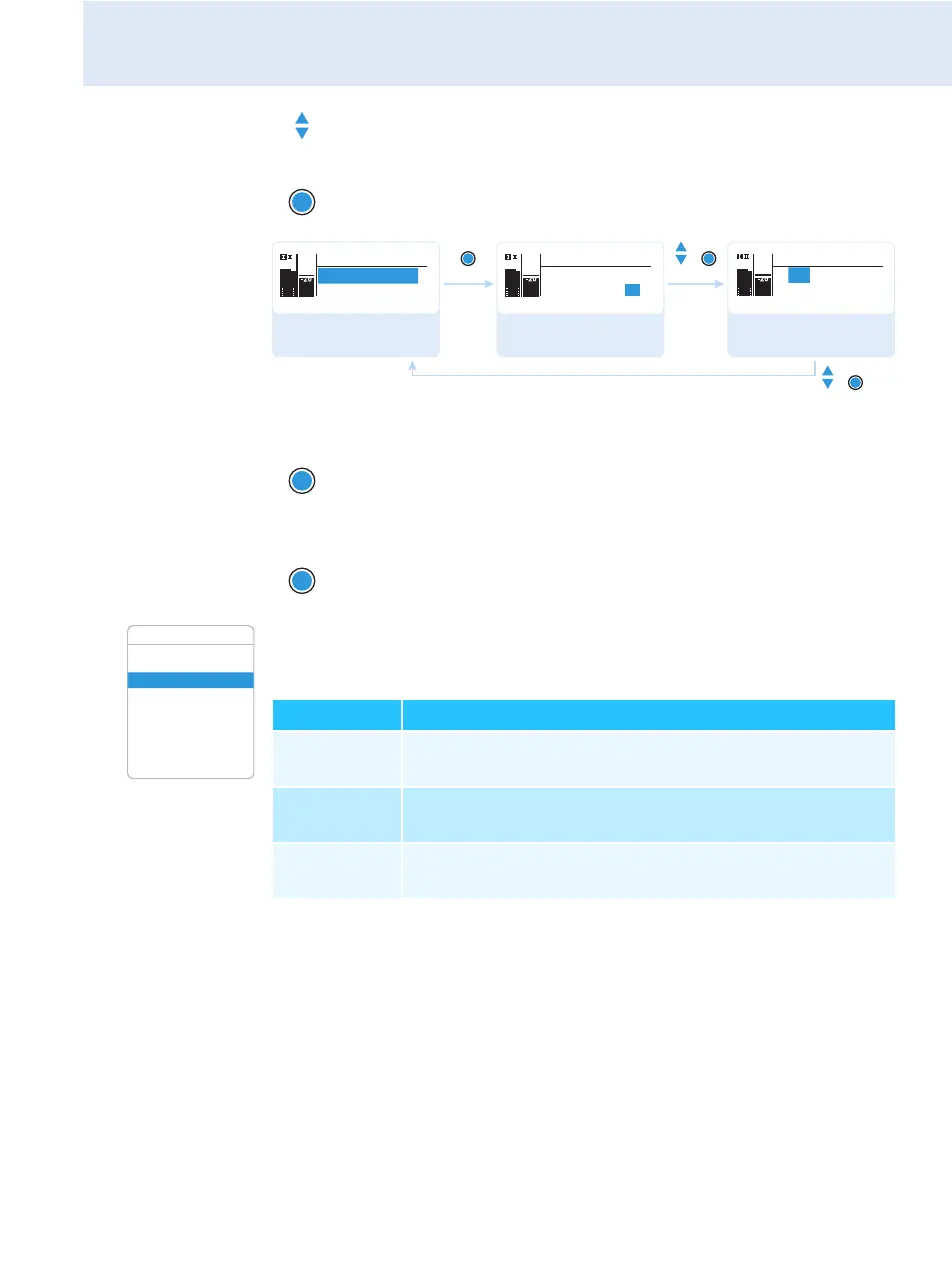
왘 Press the UP/DOWN button until the “Tune” menu item
appears.
왘 Keep the SET button pressed until the channel selection
appears.
왘 Press the SET button.
The frequency selection appears.
왘 Press the SET button.
Your settings are stored. You are back to the operating menu.
“Stored”
Advanced Menu
544.200 MHz
Tune
Tune
B.Ch: U. 1
544.200 MHz
Tune
Call up “Tune”
(special function)
Select the channel
Set the frequency;
store the setting
SET SET
SET
PEAK
-10
0
40
25
10
-20
-30
AF
RF
PEAK
-10
0
40
25
10
-20
-30
AF
RF
PEAK
-10
0
40
25
10
-20
-30
AF
RF
544.200 MHz
B.Ch: U. 1
SET
Tune
Guitar Tuner
Pilot Tone
LCD Contrast
Reset
Software Revision
Exit
Advanced Menu
Setting Meaning
“Inactive“ The “Guitar Tuner” standard display is deactivated
(see page 24).
“Active“ When selecting the “Guitar Tuner” standard display
(see page 24), the receiver is not muted.
“Audio Mute“ When selecting the “Guitar Tuner” standard display
(see page 24), the receiver is muted.



 To Next Page