Using the operating menu
28
Working with the operating menu
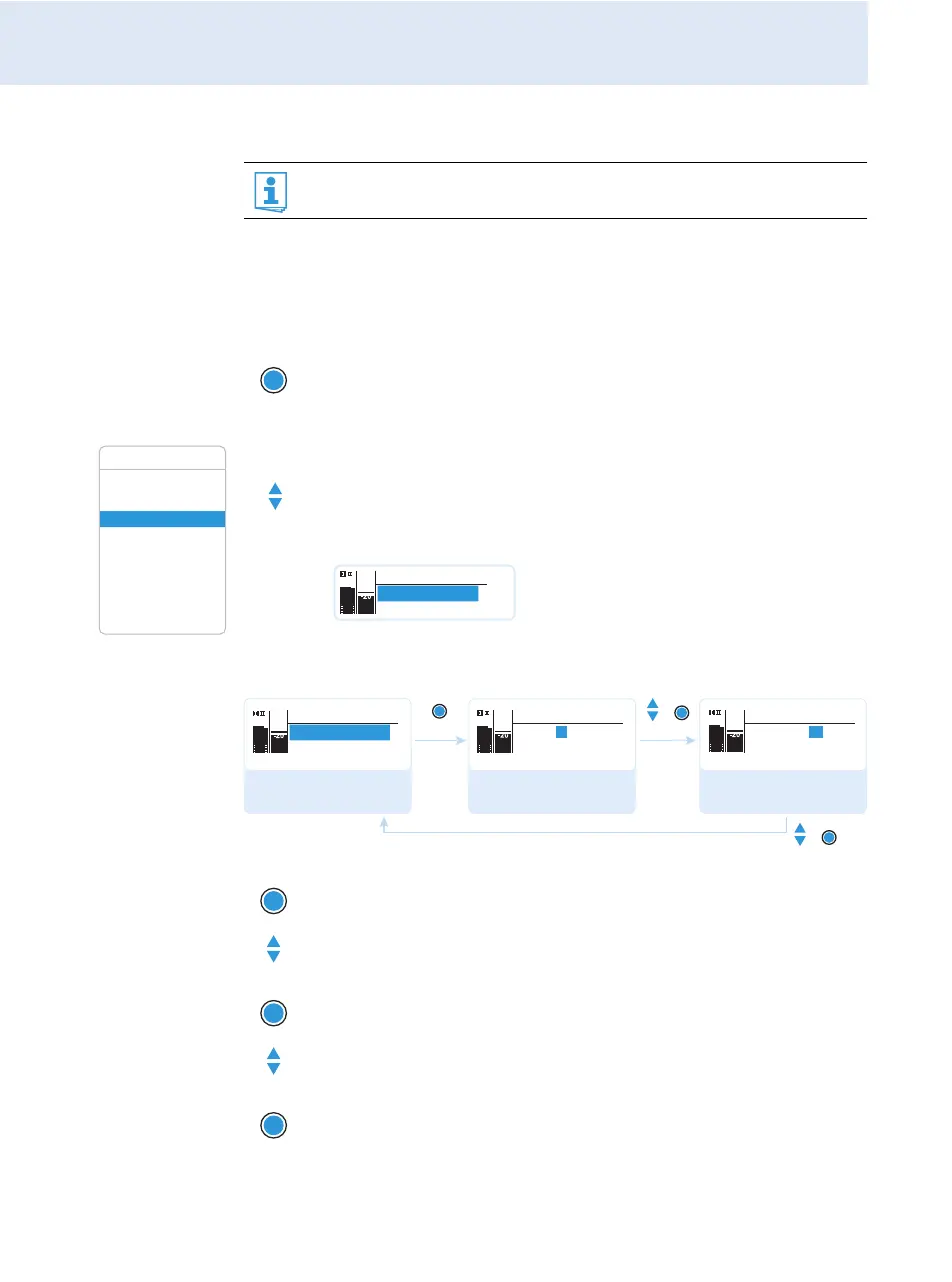
By way of example of the “Frequency Preset” menu item, this section
describes how to use the operating menu.
Changing from a standard display to the operating menu
Selecting a menu item
Changing and storing settings
If the lock mode is activated, you have to deactivate it In order to
be able to work with the operating menu (see page 22).
왘 Press the SET button.
The current standard display is replaced by the main menu.
The last selected menu item is displayed.
Squelch
Easy Setup
Frequency Preset
Name
AF Out
Equalizer
Auto Lock
Advanced
Exit
Menu
왘 Press the UP/DOWN button to change to the “Frequency
Preset” menu item.
The current setting of the menu item is displayed:
왘 Press the SET button to call up the menu item.
왘 Press the UP/DOWN button to set the frequency bank.
왘 Press the SET button to confirm your selection.
왘 Press the UP/DOWN button to set the channel.
왘 Press the SET button to store the setting.
Menu
B.Ch: 1.1
Frequency Preset
PEAK
-10
0
40
25
10
-20
-30
AF
RF
Select the frequency
bank and confirm
Select the channel;
store the setting
Call up “Frequency
Preset”
“Stored”
SET
SET
SET
Menu
B.Ch: 1. 1
Frequency Preset
Frequency Preset
B.Ch: 1. 1
518.200MHz
Frequency Preset
B.Ch: 20.12
533.875MHz
PEAK
-10
0
40
25
10
-20
-30
AF
RF
PEAK
-10
0
40
25
10
-20
-30
AF
RF
PEAK
-10
0
40
25
10
-20
-30
AF
RF
SET




 To Next Page