Using the receiver
24
Selecting a standard display
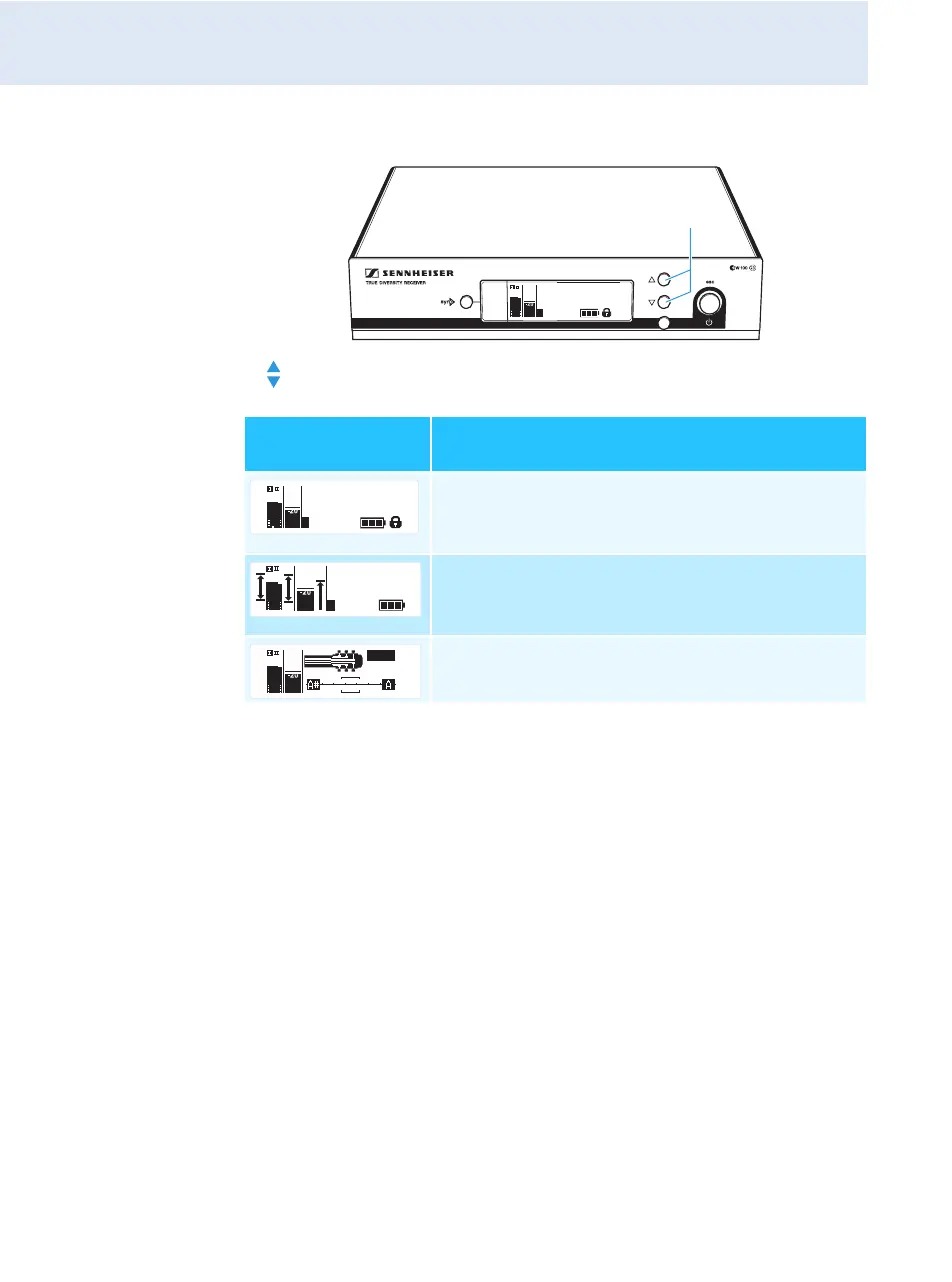
왘 Press the UP/DOWN button to select the standard display:
Contents of the
display
Selectable standard display
“Receiver Parameters”
appears after switch-on of the receiver and
displays the receiver parameters (see page 9)
“Soundcheck” (display with additional function)
displays the signal quality within the transmission
area (see page 30)
“Guitar Tuner”* (display with additional function)
displays the guitar tuner (see page 30)
* The “Guitar Tuner” standard display is deactivated upon delivery. To
show this standard display, you have to activate it (see page 39).
533.875
ew100 G3
20.12
MHz
P
PEAK
-10
0
40
25
10
-20
-30
AF
RF
SET
533.875
ew100 G3
20.12
MHz
P
PEAK
-10
0
40
25
10
-20
-30
AF
RF
533.875 MHz
Soundcheck
P
PEAK
-10
0
40
25
10
-20
-30
AF
RF
440 Hz
MUTE
PEAK
-10
0
40
25
10
-20
-30
AF
RF



 To Next Page